Cost overruns aren’t a mystery. They result from four predictable failures: inaccurate estimating, poor change control, weak labour and materials tracking, and delayed financial reconciliation. In our experience working with construction firms, these failures start small — a single underestimated item, a late change order — then cascade into lost margin and frustrated clients.
If you want to prevent that cascade, decisions must be based on timely, accurate data and enforced workflows. Connected workflows create operational visibility. When your team can see estimates, job costs, purchase orders and timesheets in one place, issues surface before they become profit-eating problems.
## Core controls that stop overruns
Focus on the controls that make the biggest difference:
- Accurate estimating: Build estimates from standardised rates and recent job histories rather than one-off guesses.
- Real-time job costing: Track committed costs (POs, subcontractor agreements) and actuals (timesheets, deliveries) against the job budget every day.
- Change order discipline: Turn requests into authorised change orders with clear charge codes and client sign-off before work proceeds.
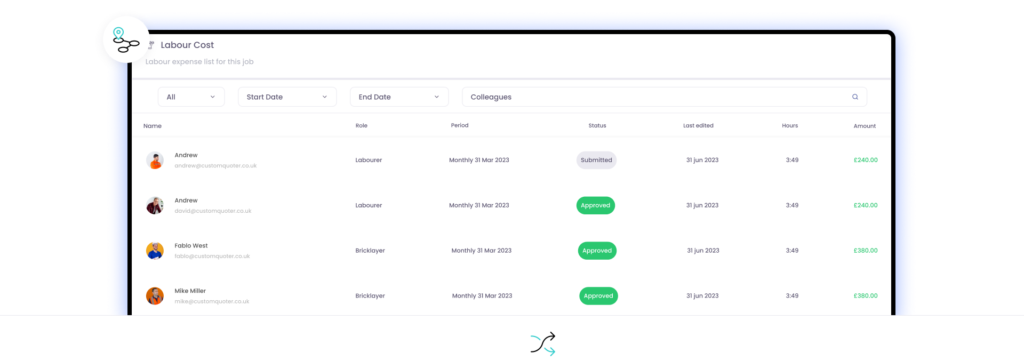
- Labour visibility: Collect hours by task and job to identify productivity issues and reallocate teams quickly.
- Procurement control: Match supplier invoices to POs and deliveries to stop double ordering and invoice discrepancies.
- Timely invoicing and retention management: Invoicing delays tie up cash and increase margin erosion; automate staged billing where possible.
## Practical steps to implement control today
Implementing these controls does not require a full IT overhaul. Take these practical steps over the next 90 days:
1. Standardise cost codes and rates across your estimating and payroll systems.
2. Require purchase orders for any committed spend and route them for quick electronic approval.
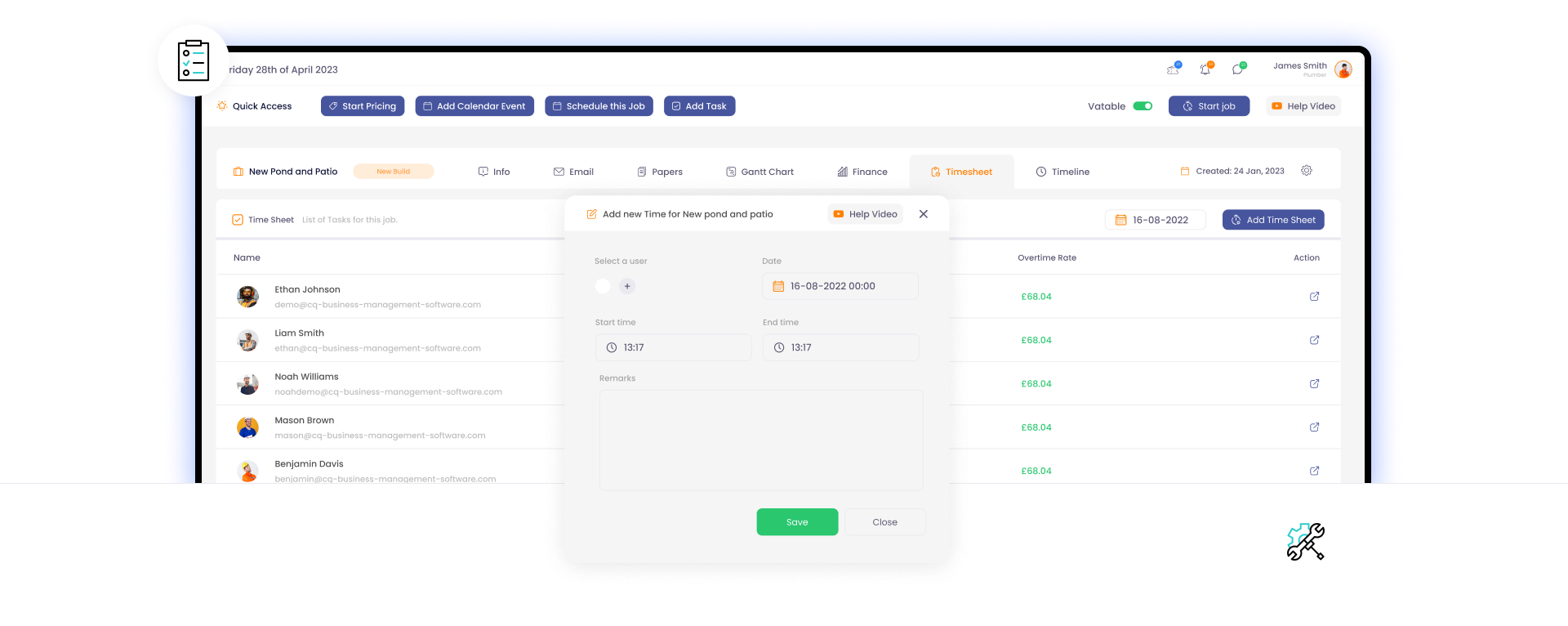
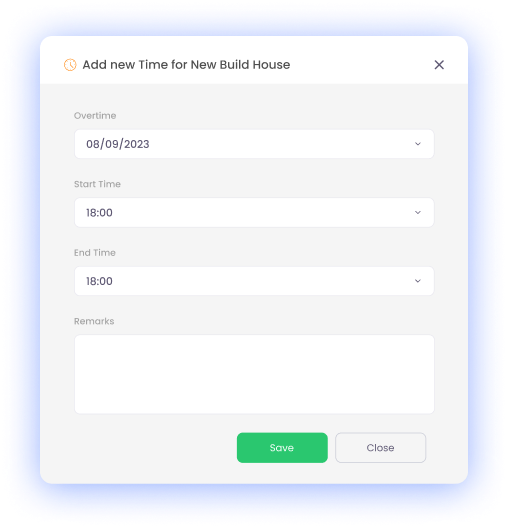
3. Capture timesheets daily via mobile so supervisors can spot overtime or low productivity within 48 hours.
4. Make change orders non-actionable until digitally signed by the authorised approver.
5. Reconcile supplier invoices weekly against POs and deliveries rather than waiting for month-end.
These steps are process-driven and enforceable. They reduce discretion where discretion causes cost leaks and retain manager oversight where it protects margin.
## How software supports those controls
Manual spreadsheets won’t scale. A job management system that links estimate, purchase, payroll and invoicing modules eliminates reconciliation gaps and speeds decision-making.
For an overview of how a purpose-built system organises these functions, see https://www.cq-business-management-software.com/. To evaluate how the solution works in a field context, review a guided example at https://www.cq-business-management-software.com/landscaping-demo/. If you are selecting a platform, the article at https://www.cq-business-management-software.com/how-to-choose-job-management-software/ outlines the key selection criteria and questions to ask vendors.
## Metrics to measure success
Track a small set of meaningful KPIs every week:
- Budget variance by job (%) — actual cost vs estimate.
- Committed cost ratio — value of outstanding POs and change orders against original estimate.
- Labour productivity — hours per output unit (e.g., per m2, per installation).
- Days to invoice — average time from milestone completion to invoice sent.
- Margin by job — gross margin after all direct costs.
If these metrics don’t move within one billing cycle after making process changes, tighten enforcement: require PO numbers on invoices, hold weekly cost-review meetings, and escalate overdue change orders to operations leadership.
## Avoid common implementation mistakes
Two common errors slow progress:
- Overcomplicating the chart of accounts: Too many cost codes will destroy adoption. Start simple and expand only when you have consistent data.
- Leaving approvals offline: Paper approvals or email threads create blind spots. Enforce digital approvals so you have an auditable trail.
Across hundreds of demonstrations with growing service businesses, we consistently see that adoption fails when leaders treat the software as optional rather than the source of truth. Make the system the single place for cost decisions and accountability follows.
## Final checklist before you start
- Define three accountable roles for costing: estimator, site supervisor, and finance owner.
- Agree on five KPIs to review at weekly cost calls.
- Mandate POs and digital change orders.
- Pilot the system on two active jobs, measure improvements, then scale.
Budget discipline is not a one-off task; it is an operational habit supported by the right processes and tools. If you want to see these practices in action and how they are implemented in a job management platform, explore the demo at https://www.cq-business-management-software.com/landscaping-demo/ and the selection guide at https://www.cq-business-management-software.com/how-to-choose-job-management-software/. For a product overview, visit https://www.cq-business-management-software.com/.
Take control of the controllables: standardise, enforce, measure, and escalate. That’s the only reliable path to protecting margin on every project.
Construction projects are known for their complexity and numerous moving parts. Yet, despite careful planning, rework and inefficiencies can plague even the most well-managed projects. The price of rework goes beyond financial; it includes delays, strained relationships, and reduced profitability. In this article, we delve into the critical role of effective communication in minimizing rework and increasing efficiency in the construction industry.
The Cost of Rework and Inefficiency
Rework and inefficiency represent a significant cost in construction:
Financial Impact: Rework often requires redoing tasks, purchasing additional materials, and paying for extra labor. These costs can escalate quickly.
Time Delays: Rework can result in project delays, impacting timelines and causing contractual disputes.
Reduced Profitability: Inefficiency leads to decreased profit margins as resources are wasted on avoidable tasks.
Understanding the Role of Communication
Poor communication is a common root cause of rework and inefficiency in construction. It manifests in various forms:
Miscommunications: Lack of clarity or misunderstanding of project plans and specifications can lead to mistakes.
Information Gaps: Failure to share critical information or updates with all stakeholders can result in work proceeding without the necessary knowledge.
Change Management: Inadequate communication about changes in project scope can cause confusion and rework.
Investing in communication training for construction teams pays off:
Communication Skills: Enhanced communication skills lead to better collaboration, fewer misunderstandings, and reduced rework.
Technological Proficiency: Training in the use of communication tools ensures efficient utilization.
The Role of Leadership
Leadership sets the tone for communication practices:
Culture of Communication: Leaders should promote a culture of effective communication within construction companies.
Communication Policies: Implementing clear communication policies ensures consistency.
Challenges and Overcoming Barriers
Common challenges in effective communication include language differences, resistance to change, and data security concerns. Solutions include translation services, change management programs, and secure communication platforms.
Quantifiable Benefits
The benefits of effective communication are quantifiable:
Reduced Rework Costs: Fewer errors and less rework result in substantial cost savings.
Shorter Project Timelines: Efficient communication leads to faster project completion.
Increased Client Satisfaction: Transparent communication enhances client relationships.
Conclusion
Effective communication is the linchpin of reducing rework and increasing efficiency in construction. It not only saves costs but also builds trust and strengthens relationships among stakeholders. As the construction industry evolves, embracing communication strategies and technologies becomes not just a choice but a necessity for success.
In the ever-evolving landscape of business management, staying ahead of the curve is not just an advantage; it's a necessity. As we enter a new decade, it's essential to look forward and anticipate the trends that will shape the future of business management in the coming years. In this article, we explore some transformative changes that are expected to influence the way organizations are run in the next decade.
Technology-Driven Transformation
Emerging technologies are at the forefront of business management's future. Artificial Intelligence (AI), the Internet of Things (IoT), blockchain, and automation are no longer buzzwords but integral tools for decision-makers. AI-driven analytics will empower companies to gain deeper insights into customer behavior, streamline operations, and predict market trends with unprecedented accuracy.
Adapting to remote work will not only be essential for business continuity but also for attracting and retaining top talent. Companies will need to prioritize digital communication platforms, cybersecurity, and flexible work arrangements.
Sustainability and Environmental Responsibility
Sustainability is no longer a distant goal but a fundamental business imperative. In the next decade, organizations will increasingly adopt eco-friendly operations, renewable energy sources, and sustainable supply chains. Environmental responsibility will not only align with corporate values but also resonate with environmentally conscious consumers.
By reducing their carbon footprint, companies will not only contribute to a cleaner planet but also bolster their reputation and appeal to a growing base of eco-conscious customers.
Diversity, Inclusion, and Ethical Leadership
Diversity and inclusion are not just checkboxes; they are integral components of ethical leadership. The future of business management will see a continued emphasis on diverse leadership teams and corporate cultures that prioritize fairness, equity, and respect.
Companies that value and promote diversity will not only create a more inclusive work environment but also benefit from diverse perspectives that drive innovation and better decision-making.
Customer-Centric Approaches
The next decade will usher in a profound shift toward customer-centricity. Organizations will leverage data to personalize offerings and enhance the overall customer experience. Real-time feedback and continuous improvement will be central to business strategies.
Customer-centric companies will build stronger customer loyalty and achieve sustainable growth in an increasingly competitive market.
The Role of Data and Analytics
Data will continue to be the cornerstone of decision-making. Big data, predictive analytics, and business intelligence tools will empower organizations to make informed choices and optimize processes. The ability to harness data effectively will be a defining factor for success.
Businesses that invest in data-driven decision-making will be better equipped to adapt to changing market conditions and stay ahead of the competition.
Resilience and Crisis Management
The COVID-19 pandemic highlighted the importance of resilience. In the coming years, organizations will invest in robust crisis management strategies, including risk assessment, scenario planning, and disaster recovery plans.
Building resilience will be crucial to withstand unforeseen challenges, ensuring business continuity, and maintaining stakeholder trust.
Regulatory Changes and Compliance
Changing regulations and compliance standards will significantly impact business management. Staying updated and adapting to evolving legal requirements will be imperative to avoid regulatory pitfalls and maintain trust with stakeholders.
Businesses will need to invest in compliance management systems and processes to navigate the complex regulatory landscape effectively.
Globalization and Market Expansion
Globalization will continue to drive international market expansion and global supply chains. Companies that can navigate the complexities of global markets while maintaining local relevance will thrive. Global collaboration and cultural intelligence will be valuable assets.
By expanding their reach beyond borders, organizations can tap into new markets and diversify their revenue streams.
Conclusion:
As we embark on this new decade, businesses must prepare for a future characterized by technological advancement, remote work, sustainability, diversity, data-driven decision-making, resilience, regulatory scrutiny, and global opportunities.
By embracing these trends and predictions, organizations can position themselves as leaders in the ever-changing landscape of business management. The future belongs to those who are willing to adapt, innovate, and stay ahead of the curve.
## The problem: projects that overrun, repeatedly
Projects overrun because information is fragmented, responsibilities are unclear and teams work from different versions of the truth. Quotes are delayed, schedules clash, margins erode and clients complain. That’s not a failure of effort — it’s a failure of process and visibility.
Across hundreds of demonstrations with growing service businesses, we consistently see the same weak links: manual handoffs, siloed spreadsheets and no single source of truth. Those are the things that cause rework and late finishes.
## What actually works
Connected workflows create operational visibility. That is the central fact. When quoting, scheduling, resources, site records and invoicing are connected, decisions are faster and errors fall away.
This is not about adopting technology for technology’s sake. It is about organising work so the right person sees the right information at the right time. That reduces downtime, prevents double-booking and protects margins.
## Core principles to implement today
Apply these principles in sequence. They are pragmatic and measurable.
- Centralise data. Stop relying on multiple spreadsheets. A single job record should hold the quote, scope, drawings, client contact and change history.
- Enforce clear handoffs. Define triggers for when a job moves from estimate to planning to execution to invoicing.
- Make field updates immediate. Mobile job sheets and photos must sync in real time to avoid guessing.
- Standardise cost capture. Capture materials, labour and plant against jobs so you can report on margin as work proceeds.
- Automate routine communications. Notifications for schedule changes and approvals reduce phone tag and lost decisions.
- Measure what matters. Track on-time starts, change order response time and job-level gross margin.
## Practical steps for your team
Start small, prioritise high-impact fixes, then scale.
1. Map your workflows. Document how a job flows from first enquiry to final invoice and where delays happen.
2. Pick a pilot process to digitise — typically quotations or scheduling — and define success metrics.
3. Train a core group and lock down mandatory fields that prevent jobs being progressed with missing data.
4. Use dashboards to expose bottlenecks daily rather than monthly.
If you want an example of a platform built to unite these pieces, see the core product details at https://www.cq-business-management-software.com/. For a hands-on view of how a system handles quoting, planning and field capture in real conditions, request a tailored walkthrough at https://www.cq-business-management-software.com/landscaping-demo/.
## Common objections and how to counter them
- “We can’t change processes mid-season.” Start with a non-peak pilot and prove savings on a single team or region.
- “Our team won’t use it.” Enforce mandatory fields, make mobile entry quick and show time saved on admin.
- “It’s too expensive.” Measure time-to-value: faster invoicing and fewer change-order disputes pay back quickly.
If you’re still choosing a system, read a clear framework for evaluation before you commit: https://www.cq-business-management-software.com/how-to-choose-job-management-software/. That guide helps you separate necessary capabilities from vendor noise.
## Quick checklist before you buy
- Does the system centralise job data and provide real-time updates?
- Can you enforce workflow steps and approvals?
- Is mobile entry fast and reliable offline?
- Does reporting show job-level margin in near real time?
- Can you customise fields without a developer?
## Final word
Operational visibility is not a nice-to-have — it is the single most effective defence against late jobs and eroded margins. Start by mapping workflows, pilot a single process, and measure impact. If you need to see how it looks in practice, schedule a demo and evaluate against the checklist above. Your business will gain clarity and control when workflows are connected and enforced.
In the bustling world of construction, where every brick and beam counts, effective communication stands as the linchpin of project success. Large construction teams, with their myriad of roles and responsibilities, face unique challenges in ensuring that every member is on the same page. Miscommunication, or lack thereof, can lead to costly delays, errors, and even safety hazards. So, how can construction managers ensure seamless communication within their expansive teams?
The Importance of Communication in Construction
Clear and consistent communication in construction is not just about giving orders or updates. It's about ensuring that every team member, from the architect to the laborer, understands the project's objectives, timelines, and potential challenges. Effective communication reduces the risk of costly errors, ensures safety protocols are followed, and fosters a sense of team cohesion. A project where everyone is in sync is more likely to be completed on time and within budget.
Challenges in Communicating with Large Teams
Managing communication within a large construction team is akin to directing a symphony. Each section, be it woodwinds or strings, must be in harmony with the others. In construction, this means ensuring that multiple teams, from engineers to on-ground laborers, are coordinated. Add to this the challenge of off-site stakeholders, and the potential for miscommunication multiplies. Information can easily get lost, misinterpreted, or overlooked, leading to project setbacks.
Strategies for Effective Communication
Leverage Digital Communication Tools: In today's digital age, construction teams aren't limited to walkie-talkies or site meetings. Construction management software offers real-time updates, ensuring that everyone is informed of any changes or developments. Apps designed for instant communication can connect team members, regardless of their location. Moreover, cloud-based platforms enable document sharing and collaboration, ensuring that everyone has access to the latest project blueprints or schedules.
Regular Team Meetings: While digital tools offer convenience, nothing beats face-to-face interactions. Daily stand-ups can address immediate concerns and tasks for on-site teams. Weekly review meetings can track project milestones, ensuring that the project stays on course. Monthly strategy meetings with all stakeholders, including clients and suppliers, can provide a broader view of the project's progress and address any long-term concerns.
Clear Documentation: A well-documented project is a well-communicated project. Keeping up-to-date records, be it changes in design or material deliveries, ensures that all team members are informed. Visual aids, such as charts and diagrams, can simplify complex processes. Digital logs and databases can store and track this information, making it accessible to those who need it.
Feedback Loops: Open channels for feedback foster a culture of continuous improvement. Team members should feel empowered to voice their concerns or suggestions. Addressing these promptly not only resolves potential issues but also boosts team morale. Regular feedback sessions can also refine communication strategies, ensuring they remain effective.
Training and Workshops: Investing in your team's communication skills pays dividends. Regular training sessions can enhance their ability to convey and receive information effectively. Workshops on new communication tools ensure that the team is always equipped with the latest in communication technology.
Conclusion
In the vast landscape of construction, where projects rise and fall based on coordination and collaboration, effective communication is the cornerstone. It's the thread that weaves together the various elements of a project, ensuring that it stands strong and true. For construction leaders, investing in communication is not just a necessity but a strategic move towards project success. Evaluate your current communication strategies. Are they meeting the needs of your large construction team? Consider implementing the strategies discussed above and watch as your projects transform from mere blueprints to towering successes.
The construction industry, with its vast projects and intricate details, often faces financial challenges that can make or break a project's success. One of the critical components ensuring the smooth financial flow of these projects is accurate financial forecasting. But why is it so crucial, and how has it evolved with the advent of modern tools and techniques?
The Need for Financial Forecasting in Construction
Construction projects are inherently unpredictable. From unexpected costs due to material price hikes to unforeseen delays caused by weather or other external factors, there's a myriad of issues that can derail a project's budget and timeline. This unpredictability makes accurate financial forecasting not just beneficial but essential. It plays a pivotal role in risk management, helping stakeholders anticipate potential financial pitfalls and make informed decisions.
Traditional Forecasting Methods
Historically, financial forecasting in construction relied heavily on manual calculations, past experiences, and gut feelings. Project managers would draw from previous projects, adjusting for inflation or other market factors. However, these methods had their limitations. They couldn't account for sudden market changes, and the lack of real-time data often led to inaccuracies.
Modern Tools and Techniques
The digital age has ushered in a plethora of tools and techniques that have revolutionized financial forecasting in construction:
Construction Management Software: These digital solutions offer features like real-time budget tracking, expense logging, and predictive analytics. They integrate seamlessly with other project management tools, ensuring that financial data is always up-to-date and accurate.
Scenario Planning: This technique involves creating multiple financial models based on varying scenarios, from best-case to worst-case. It prepares teams for unexpected events and allows for flexibility in financial planning.
Cash Flow Forecasting: An essential tool for any construction project, it predicts the inflow and outflow of cash, ensuring liquidity and aiding in making informed financial decisions.
Cost Estimation Tools: These digital tools provide a detailed cost breakdown based on project specifications, ensuring that budgets are accurate and optimized.
Challenges in Financial Forecasting
Despite the advancements in tools and techniques, financial forecasting isn't without its challenges. External factors like market fluctuations, regulatory changes, and global events (like economic downturns) can impact a project's finances. Internally, changes in project scope, unexpected expenses, and human errors can also lead to forecasting inaccuracies.
Conclusion
Financial forecasting, while complex, remains a cornerstone of successful construction projects. With the integration of modern tools and techniques, the construction industry can navigate the financial complexities of large-scale projects more efficiently than ever before.
Evaluate your current forecasting methods. Are they accurate and efficient? Consider integrating modern tools into your financial planning and set your construction projects up for financial success.
## Why visual tools matter
Visualisation reduces ambiguity. For teams delivering projects, a clear visual of who does what, when, and in what sequence shortens decision cycles and reduces rework. But different visual tools solve different problems: some are designed for planning, some for flow control, and some for simple task management. Choosing the right visual tool — and connecting it to the rest of your operations — is what makes the difference between neat plans and reliably delivered work.
In our experience working with service firms, we see that teams pick tools that look good on the surface but fail to connect to day-to-day operational data. That gap creates last-minute surprises, invoicing delays, and inaccurate forecasts.
## Comparing Gantt charts, Kanban boards and task lists
Here’s a direct comparison of three common visual tools, what they’re best at, and where they fall short.
### Gantt charts — the planning backbone
What they do well
- Show timelines, dependencies and critical paths.
- Help sequence work, align milestones and communicate delivery dates.
- Support resourcing decisions when tasks and durations are estimated.
Where they fall short
- Gantts are a planning view, not a live operations record. They assume schedules remain valid unless manually updated.
- They rarely capture field updates, timesheets, purchase orders, or change requests without integration.
- For reactive work or flow-based teams, a timeline can obscure bottlenecks that only become visible day-to-day.
Gantt charts are great at what they do: planning complex sequences and making dependencies visible. They should be part of your toolkit, not the entire toolkit.
### Kanban boards — flow and focus
What they do well
- Visualise work-in-progress and cycle times.
- Focus teams on bottlenecks and throughput rather than dates.
- Adapt quickly for reactive or continuous delivery environments.
Where they fall short
- Kanban boards often lack a built-in view of timelines and resource constraints.
- They can become disconnected of long-term plans unless linked to scheduling tools.
- Without data connections, status on a board can lag behind reality.
Kanban excels at improving flow and limiting work-in-progress, but it doesn’t replace the need to plan and coordinate across multiple projects or contracts.
### Task lists — clarity and simplicity
What they do well
- Provide straightforward to-dos for individuals.
- Easy to create and manage for small teams or single-purpose work.
- Low friction for immediate action.
Where they fall short
- Task lists don't show dependencies, timelines or resource conflicts.
- They scale poorly for projects spanning multiple teams or sites.
- They give little operational insight unless paired with reporting and integrated data.
Task lists are useful tactical tools. They shine in simplicity but are insufficient as the central control point for growing service businesses.
## The hidden gap: planning vs operations
The frequent mistake is treating the visual tool as the operational system. A perfect Gantt that sits in isolation still requires someone to reconcile it with field realities: actual start dates, time spent, materials used, variations and client approvals.
That reconciliation is manual, slow and error-prone. The result is predictable:
- Project forecasts drift from reality.
- Margins erode due to missing costs or unrecorded labour.
- Customer communications lag because status is not up-to-date.
The real question is not which visualisation you use; it is whether your visual tools are connected to operational data. Connected workflows create operational visibility.
## How connected tools close the gap
A visual tool plus connected operational data removes the need for constant manual reconciliation. When schedules, field updates, timesheets, procurement and invoicing flow together you get one source of truth for planning and delivery.
What a connected approach delivers
- Automatic schedule updates when field teams record actual start and finish times.
- Real-time capacity and resource views that feed back into Gantt planning.
- Immediate cost visibility from materials, labour and change orders.
- Faster invoicing because completed work and delivery confirmations are already recorded.
CQ is positioned to complement Gantt charts by providing those operational connections. Learn how CQ extends scheduling and resource features beyond a static plan at https://www.cq-business-management-software.com/project-management-software/.
## Practical examples
- A project manager adjusts a Gantt to reflect a delayed delivery. In a connected system, that change triggers notifications to procurement, the site team and invoicing so everyone adapts without chasing spreadsheets.
- A field operative records hours and a site photo on their phone. The schedule, payroll and client billing update automatically, eliminating double entry and timing mismatches.
- A change request is logged in the field. Costs and revised durations feed into the plan so your team can replan and communicate a revised completion date in minutes rather than days.
These are not hypothetical. In our experience working with service firms, teams that connect their visual tools with operational data reduce schedule slippage and billing errors significantly.
## Choosing the right setup for your team
When evaluating visual tools, focus on these criteria first:
- Does this tool integrate with your operational systems (timesheets, procurement, CRM, invoicing)?
- Can the visualisation update from real-world events, not just manual edits?
- Does it provide a single view of forecast vs actuals for both schedule and cost?
- Will it scale as your business adds teams, sites and subcontractors?
For a deeper framework to help you choose, read our guidance on how to choose job management software at https://www.cq-business-management-software.com/how-to-choose-job-management-software/.
## Seeing it in practice
If you want to see what a connected setup looks like for a site-led operation, review our landscaping-focused demo at https://www.cq-business-management-software.com/landscaping-demo/. It shows how planning and operations can be tied together without replacing the planning discipline Gantt charts provide.
## Final point: use the right tool for the right purpose — and connect it
Gantt charts, Kanban boards and task lists each solve real problems. The common failure is relying on a single visual tool without creating an operational spine that links work planning to field reality.
The practical priority for growing service businesses is simple: adopt the visual tools that suit your workflows, then connect them to the data that runs your operations. When that connection exists, your plans remain living documents and your team can deliver to schedule and budget.
If you want to explore how to make your visual tools operational, start with features that support integrated planning and delivery at https://www.cq-business-management-software.com/project-management-software/ and see a real-world demo at https://www.cq-business-management-software.com/landscaping-demo/. For strategic buying criteria, review our how-to guide at https://www.cq-business-management-software.com/how-to-choose-job-management-software/.
In the modern workplace, where efficiency, accuracy, and compliance are paramount, businesses are turning to digital solutions to streamline their operations. One such solution that has been gaining significant traction is the adoption of digital clock in and clock out systems. These systems have revolutionized how businesses track employee attendance and are reaping a multitude of benefits in the process. In this article, we'll explore the advantages of embracing digital clock in and clock out systems for your organization.
Accuracy and Elimination of Errors
One of the foremost advantages of digital clock in and clock out systems is the accuracy they bring to attendance tracking. Traditional paper-based methods are susceptible to errors such as data entry mistakes and 'buddy punching,' where employees clock in or out for absent colleagues. Digital systems eliminate these issues by recording attendance data automatically. Employees simply scan their ID cards or use biometric recognition, ensuring that the data is precise and tamper-proof.
Real-Time Data Access
Digital systems provide real-time access to attendance data for both employees and management. This means that employees can quickly verify their clocked hours, reducing disputes and ensuring transparency. Managers, on the other hand, can monitor attendance remotely and make informed decisions promptly. This real-time visibility into attendance data enhances communication and accountability throughout the organization.
Enhanced Compliance
Compliance with labor laws and regulations is a top priority for businesses. Digital clock in and clock out systems make it easier to adhere to labor laws, including those related to overtime, break times, and working hours. The systems can be configured to alert managers when compliance thresholds are approached or exceeded, reducing the risk of non-compliance and associated penalties.
Improved Payroll Efficiency
Accurate attendance data simplifies payroll processing, leading to significant improvements in efficiency. With digital systems, businesses can automate payroll calculations, reducing the administrative workload and minimizing the chances of overpayments or errors. This efficiency not only saves time but also reduces labor costs associated with payroll processing.
Cost Savings
Digital clock in and clock out systems offer significant cost-saving potential. By eliminating time theft and ensuring that employees are paid only for the hours they've worked, businesses can control labor costs effectively. Additionally, the reduction in paperwork and administrative tasks associated with attendance tracking leads to further cost savings.
Streamlined Reporting
Digital systems generate customizable reports that provide insights into attendance patterns and trends. These reports can be valuable tools for strategic decision-making. Businesses can identify areas for improvement, optimize staffing levels, and make data-driven decisions to enhance operational efficiency.
Increased Accountability
When employees are aware that their attendance is being tracked digitally, it fosters a sense of accountability. They are more likely to adhere to company attendance policies and work schedules, leading to improved overall workforce discipline.
Integration with Other Systems
Digital clock in and clock out systems are designed to seamlessly integrate with other business software, including HR, payroll, and time and attendance systems. This integration streamlines data flow across various functions, ensuring a consistent and efficient workflow.
Remote Work and Flexibility
In today's evolving work landscape, flexibility is crucial. Digital attendance systems can accommodate remote work and flexible schedules, allowing employees to clock in and out from various locations. This adaptability is especially beneficial for businesses with remote or distributed workforces.
Security and Data Protection
Protecting sensitive attendance data is a priority. Digital systems incorporate security features to safeguard this information. Encryption, authentication measures, and secure data storage help ensure that attendance data remains confidential and protected from unauthorized access.
Conclusion
Digital clock in and clock out systems have become indispensable tools for businesses seeking to optimize workforce management, reduce errors, enhance compliance, and boost overall efficiency. By embracing these systems, organizations can save costs, improve accuracy, and gain valuable insights into their workforce dynamics. In an era where every minute counts, digital attendance tracking is proving to be a game-changer for businesses across industries.
Investing in a reliable digital clock in and clock out system is not just a step toward improved attendance management; it's a strategic move that can positively impact your organization's bottom line.
In today's fast-paced digital landscape, businesses are dealing with a multitude of assets, both physical and digital. From manufacturing equipment to intellectual property, efficient asset management has become a linchpin for maintaining competitiveness and profitability. This article explores the critical role of asset management in the digital era, shedding light on how businesses can adeptly track, optimize, and leverage their resources for enhanced productivity and cost savings.
The Digital Transformation and Asset Management
The digital transformation wave sweeping across industries has dramatically reshaped asset management practices. Traditional methods of tracking assets manually or using legacy systems are giving way to innovative approaches powered by the Internet of Things (IoT), Radio-frequency Identification (RFID) technology, and data analytics. These advancements have made real-time asset monitoring and optimization a reality.
Industries like manufacturing, logistics, and healthcare are embracing digital asset management to gain a competitive edge. For instance, IoT sensors attached to machinery can provide real-time data on equipment health and performance. This enables predictive maintenance, reducing downtime and operational costs.
Benefits of Effective Asset Management
The advantages of efficient asset management are manifold. Cost reduction is a primary benefit, achieved through optimized maintenance schedules and extended asset lifecycles. Additionally, streamlined asset tracking and data-driven decision-making enhance productivity. Furthermore, robust asset management practices help mitigate risks associated with compliance, safety, and asset failure.
Key Components of Asset Management
Effective asset management comprises several key components:
Asset Tracking: Accurate identification and tracking of assets throughout their lifecycle.
Maintenance Scheduling: Proactive maintenance planning based on data insights to prevent breakdowns.
Lifecycle Analysis: Assessing the complete lifecycle of assets, from acquisition to disposal.
Each of these components plays a vital role in enhancing overall efficiency and cost savings. For example, by tracking an asset's history and maintenance requirements, businesses can make informed decisions about whether to repair, replace, or retire assets.
Challenges and Solutions
Despite the benefits, asset management also presents challenges. Data accuracy, integration issues, and cybersecurity concerns are common stumbling blocks. To address these challenges, businesses should invest in data validation processes, ensure seamless integration between systems, and implement robust cybersecurity measures.
The Role of Asset Management Software
Asset management software solutions are pivotal in modern asset management. These tools offer features such as asset tracking, maintenance scheduling, and data analytics. They provide a centralized platform for managing assets, allowing for efficient collaboration among teams.
When choosing asset management software, it's essential to consider factors like scalability, ease of integration, and the specific needs of your business.
Future Trends in Asset Management
Looking ahead, asset management is poised for further transformation. Trends like AI-driven analytics, blockchain for asset tracking, and sustainability initiatives will shape the future landscape. Businesses should stay adaptable and embrace emerging technologies to remain competitive.
Conclusion
In conclusion, asset management is the heartbeat of modern businesses. The digital age has brought about transformative changes, enabling efficient tracking and optimization of resources. The benefits are clear—cost savings, enhanced productivity, and risk mitigation. To thrive in this era of digital transformation, businesses must invest in robust asset management practices and embrace the trends that lie ahead.
## Why Gantt charts still matter — and where they fail
Gantt charts were invented to solve a clear problem: plan tasks over time and show dependencies. That problem still exists. But the environment has changed. Your team now deals with mobile workers, dynamic priorities, and real-time constraints such as travel, skills and weather. Traditional static Gantt charts expose three problems:
- They become out of date the moment a field crew reports a delay.
- They hide the operational constraints that cause delays.
- They don’t connect to the workflows that drive work on the ground.
Across hundreds of demonstrations with growing service businesses, we consistently see that organisations treat Gantt views as planning artefacts rather than operational tools. That gap is why schedules slip and reactive firefighting becomes routine.
## From bar chart to real-time schedule
Historically, Gantt charts were simple bar charts showing start and end dates and basic dependencies. They worked when projects were long-lived, predictable and centralised. Modern project and job management add complexity:
- Shorter job cycles and higher job volumes.
- Resource constraints (teams, vehicles, qualifications).
- Continuous changes from clients and site conditions.
- Need for immediacy — crews need up-to-the-minute instructions.
The modern Gantt must do more than display dates. It must represent constraints, highlight conflicts, and integrate with the operational data that drives decisions.
## What has changed in practice
Modern systems have added capabilities that address the old shortcomings:
- Real-time updates: schedules update automatically as crews complete tasks or log delays.
- Resource-aware planning: the system recognises who’s available, where they are, and what qualifications are required.
- Dependency and critical-path automation: the chart recalculates downstream impacts when a task slips.
- Mobile and offline access: field teams see their schedule and can report back, even without continuous connectivity.
- Visual alerts for constraints: skill shortages, double-bookings, travel time conflicts.
- Integration with workflows: job forms, approvals, parts ordering and invoicing are connected to the schedule.
These changes turn the Gantt from a static plan into a coordination surface for operations.
## What teams actually need from a Gantt today
If your team still treats a Gantt as a weekly poster, you will struggle with responsiveness. Instead, expect a modern schedule to:
- Reflect the current operational state, not last week’s assumptions.
- Surface causes, not just symptoms: show why a job is delayed.
- Enable rapid re-planning with minimal manual work.
- Connect planning to delivery through automated workflows.
Connected workflows create operational visibility — you need that connection to turn planning into predictable delivery.
## Practical checklist before you adopt a modern Gantt
When evaluating solutions, focus on how the Gantt ties into daily operations. Key questions to ask your vendor:
- Does the schedule update automatically from field activity?
- Can it factor travel times, crew skills and vehicle limits?
- Does it provide drag-and-drop reassignments that respect constraints?
- Are alerts and conflict resolution part of the chart, or do you need separate reports?
- How does the Gantt integrate with job forms, parts and invoicing?
For guidance on prioritising these capabilities, review our practical checklist on choosing software at https://www.cq-business-management-software.com/how-to-choose-job-management-software/.
## How to trial a modern approach
A good trial focuses on a single operational problem — for example, how to reduce late arrivals or double-bookings. Use real jobs and real crews, not test data. Observe:
- How long it takes to reassign a job when a delay occurs.
- Whether the system prevents conflicts or just flags them.
- How field feedback appears in the plan.
If you work in grounds or garden services, you can examine how these features behave in a role-specific demo at https://www.cq-business-management-software.com/landscaping-demo/.
## Where a Gantt belongs in your tech stack
The modern Gantt is not a standalone tool. It works as part of a job management platform that coordinates quoting, scheduling, field delivery and invoicing. Evaluate software that treats the schedule as the operational hub rather than as an exportable report. See the platform overview at https://www.cq-business-management-software.com/ for a practical example of that approach.
## Bottom line
Gantt charts remain a valuable planning instrument, but their value depends on integration with operational workflows. Without that integration, the chart is a historical record, not a control surface. Prioritise systems that update with field activity, respect operational constraints and make rescheduling straightforward. That is the difference between a plan that sits on a wall and a schedule that drives performance.
In the dynamic world of construction, where teams are spread across construction sites and offices, effective communication is paramount. The challenges of keeping everyone on the same page have long plagued the industry. However, modern communication tools have emerged as powerful bridges, connecting the office and the site seamlessly. In this article, we explore how these tools are transforming the construction landscape.
The Communication Divide in Construction
Construction projects involve multifaceted teams with diverse roles. On one side, you have project managers, architects, and engineers at the office. On the other, you have workers, contractors, and supervisors at the construction site. Bridging this communication gap has been a historic challenge.
The communication divide can lead to misunderstandings, delays, and inefficiencies. A lack of real-time updates, miscommunication about plans or changes, and the need for constant back-and-forth between the site and the office have been obstacles to project success.
Understanding the Importance of Effective Communication
Effective communication is a linchpin of construction project success. It directly impacts:
Productivity: When information flows smoothly, work proceeds efficiently, and project milestones are met.
Safety: Clear communication helps in conveying safety protocols and responding swiftly to emergencies.
Project Success: Projects that communicate effectively are more likely to stay on budget, meet deadlines, and exceed client expectations.
Modern Communication Tools
The construction industry has witnessed a surge in communication tools and technologies designed to bridge the gap between the office and the site. These tools include:
Mobile Apps: Construction-specific mobile apps allow on-site personnel to access project documents, plans, and updates in real time.
Project Management Software: Robust project management software centralizes information, streamlining communication and project tracking.
Video Conferencing: Virtual meetings and video conferencing enable face-to-face communication even when teams are miles apart.
Instant Messaging Platforms: Real-time chat and messaging platforms keep teams connected and enable quick decision-making.
Features and Benefits of Communication Tools
The features of these communication tools offer a plethora of benefits:
Real-Time Updates: Information is available instantaneously, eliminating delays and improving decision-making.
Document Sharing: Documents, blueprints, and plans can be shared digitally, reducing the risk of errors associated with paper documents.
Remote Connectivity: Team members can connect from remote locations, providing flexibility in work arrangements.
Integration with Existing Systems: Many tools can integrate with existing construction management systems, reducing the learning curve.
Examples of Successful Implementations
Numerous construction companies have successfully integrated these tools, resulting in remarkable transformations:
Reduced Errors: Real-time access to plans and documents has led to a reduction in errors and rework.
Improved Project Tracking: Teams can now track progress, manage resources, and address issues promptly.
Increased Efficiency: Communication tools have streamlined processes, making project management more efficient.
Challenges and Considerations
While the benefits are clear, adopting communication tools in construction does come with challenges:
Data Security: Protecting sensitive project data is crucial, and secure communication methods must be in place.
Training: Personnel need training to effectively use these tools, ensuring they harness the full potential.
Integration: Integrating new tools with existing systems may require technical expertise.
Integration with Mobile Devices
Mobile devices play a pivotal role in enabling on-site teams to utilize communication tools effectively. Construction apps and mobile-friendly interfaces bring real-time communication to the palm of a worker's hand.
Future Trends in Construction Communication
The construction industry is evolving, and so are its communication needs. Emerging trends include:
Augmented Reality (AR): AR tools can provide on-site teams with interactive overlays of plans and blueprints.
Virtual Reality (VR): VR simulations can help train workers and visualize project progress.
Communication tools are no longer optional in construction; they are essential for success. They bridge the gap between office and site, improving productivity, safety, and project outcomes. By embracing modern communication tools, construction professionals are not just connecting teams; they are building bridges to a more efficient and successful future.
In today's fast-paced and increasingly complex business environment, effective risk management and accurate forecasting are critical for success. Businesses that can identify potential risks, assess their impact, and make informed decisions based on data-driven forecasts are better positioned to thrive. However, achieving these objectives requires more than traditional approaches; it demands the power of comprehensive software solutions.
Understanding Risk Management
Before delving into the role of software, let's first understand the significance of risk management. In essence, risk management involves identifying, assessing, and mitigating various types of risks that businesses face. These risks can be financial, operational, strategic, or related to compliance and security. Without a robust risk management strategy, organizations may find themselves vulnerable to unexpected challenges, leading to financial losses and reputation damage.
The Need for Comprehensive Software
Traditional risk management approaches, often reliant on manual processes and fragmented data sources, have limitations. They can be time-consuming, error-prone, and may not provide the real-time insights needed to address rapidly evolving risks. This is where comprehensive software solutions come into play.
Comprehensive risk management software offers a holistic approach to identifying and mitigating risks. It provides businesses with the tools to collect, integrate, and analyze data from various sources, allowing for a more accurate assessment of potential risks. Moreover, it offers real-time monitoring, which is crucial in today's dynamic business landscape.
Features and Capabilities
Comprehensive software solutions come equipped with a wide range of features and capabilities designed to enhance risk management and forecasting:
Data Integration: These software solutions can seamlessly integrate with existing systems and databases, consolidating data from across the organization.
Advanced Analytics: They employ advanced analytics and predictive modeling to identify emerging risks and forecast future scenarios.
Automation: Routine risk assessment processes can be automated, reducing manual efforts and improving accuracy.
Real-time Monitoring: With real-time data, businesses can respond swiftly to emerging risks, preventing potential disasters.
Customization: Software can be tailored to specific industry needs, ensuring that risk assessments are highly relevant.
Enhancing Forecasting
In addition to risk management, comprehensive software significantly enhances forecasting capabilities. It allows businesses to harness the power of predictive analytics, which can provide insights into future trends, customer behavior, and market dynamics. Data-driven forecasting enables organizations to make informed decisions and allocate resources more effectively.
Integration with Business Processes
One of the key benefits of comprehensive software is its seamless integration with various business processes. This integration extends beyond risk management and forecasting and encompasses functions such as finance, HR, supply chain, and more. By integrating risk management and forecasting into broader business processes, organizations can achieve greater efficiency and cost savings.
Challenges and Considerations
While comprehensive software offers substantial benefits, businesses should be aware of potential challenges in implementation. Data security, system compatibility, and the need for employee training are common considerations. However, these challenges can be addressed with careful planning and the right support.
Future Trends
The world of risk management and forecasting is continually evolving. In the future, we can expect to see more sophisticated machine learning algorithms, enhanced data visualization tools, and increased emphasis on cybersecurity risk management. Staying updated with these trends will be essential for businesses looking to maintain a competitive edge.
Conclusion
Comprehensive software solutions have become indispensable tools for modern businesses. They play a pivotal role in risk management and forecasting, enabling organizations to identify, assess, and mitigate risks effectively. Furthermore, they empower data-driven decision-making, improving overall business agility and competitiveness. As the business landscape continues to evolve, embracing these comprehensive solutions will be a strategic move for organizations committed to long-term success.
In an era where risks are abundant and uncertainties prevail, comprehensive software serves as a reliable compass, guiding businesses toward safer waters and brighter horizons.