There is a specific kind of frustration that hits when you’re winning jobs, but constantly battling to make the numbers add up. You’ve got a keen eye for design and a reputation for quality, yet project margins feel like a moving target. Whether you’re relying on a generic spreadsheet or a basic template, the variables in landscaping—from fluctuating material costs to unpredictable site conditions—make "guesstimating" a constant risk.
If you find yourself absorbing unexpected costs or spending hours manually adjusting quotes, you’re not alone. The tools designed for general contracting simply don't capture the nuances of your trade. A £30k garden with phased planting, restricted access, spoil removal, and mixed hardscape/softscape has nothing in common with a "standard" job—yet spreadsheets treat them the same. It’s a sign that your estimating process is not built for the bespoke nature of landscaping.
This margin erosion happens because landscaping is a trade defined by real-world constraints, yet many businesses are forced to use generic tools. A standard spreadsheet might handle simple line items, but it fails to account for the specific variables that define a landscape project: the exact type of paving stone, the specific plant species, the machinery hire for a tricky site, or the varying labour rates for different tasks like planting versus hardscaping.
The core problem is a lack of "contextual intelligence." Generic systems don't understand that a "tree" isn't just a tree; it's a specific species with a specific cost and planting requirement. They don't automatically factor in travel time to multiple suppliers or the impact of weather on project duration. This forces you to manually input and track countless variables, creating a bottleneck where errors are inevitable and real-time adjustments to supplier price swings are almost impossible.
When a landscaping business relies on guesstimates, the consequences extend far beyond just lost profit on individual jobs. It creates a ripple effect that impacts your reputation and your ability to grow sustainably. You find yourself in a constant state of "financial firefighting," trying to recover costs that should have been accounted for from the start.
The most common symptoms of this guesstimating trap include:
•Eroding Profitability: Consistently undercharging for complex elements or absorbing unexpected material costs.
•Operational Inefficiency: Spending excessive time on manual quote adjustments or re-ordering materials due to poor planning.
•Stifled Growth: Being unable to confidently bid on larger, more complex projects because your estimating process can't handle the variables.
Ultimately, guesstimating makes growth feel precarious. You are building beautiful spaces, but the financial foundation of your business remains unstable, leaving you vulnerable to market fluctuations.
Landscaping businesses that successfully secure their margins move toward bespoke estimation software—a system designed specifically for the unique variables of their industry. This isn't about finding a "better spreadsheet"; it's about moving to a platform that understands plant costs, material types, and the reality of site constraints.
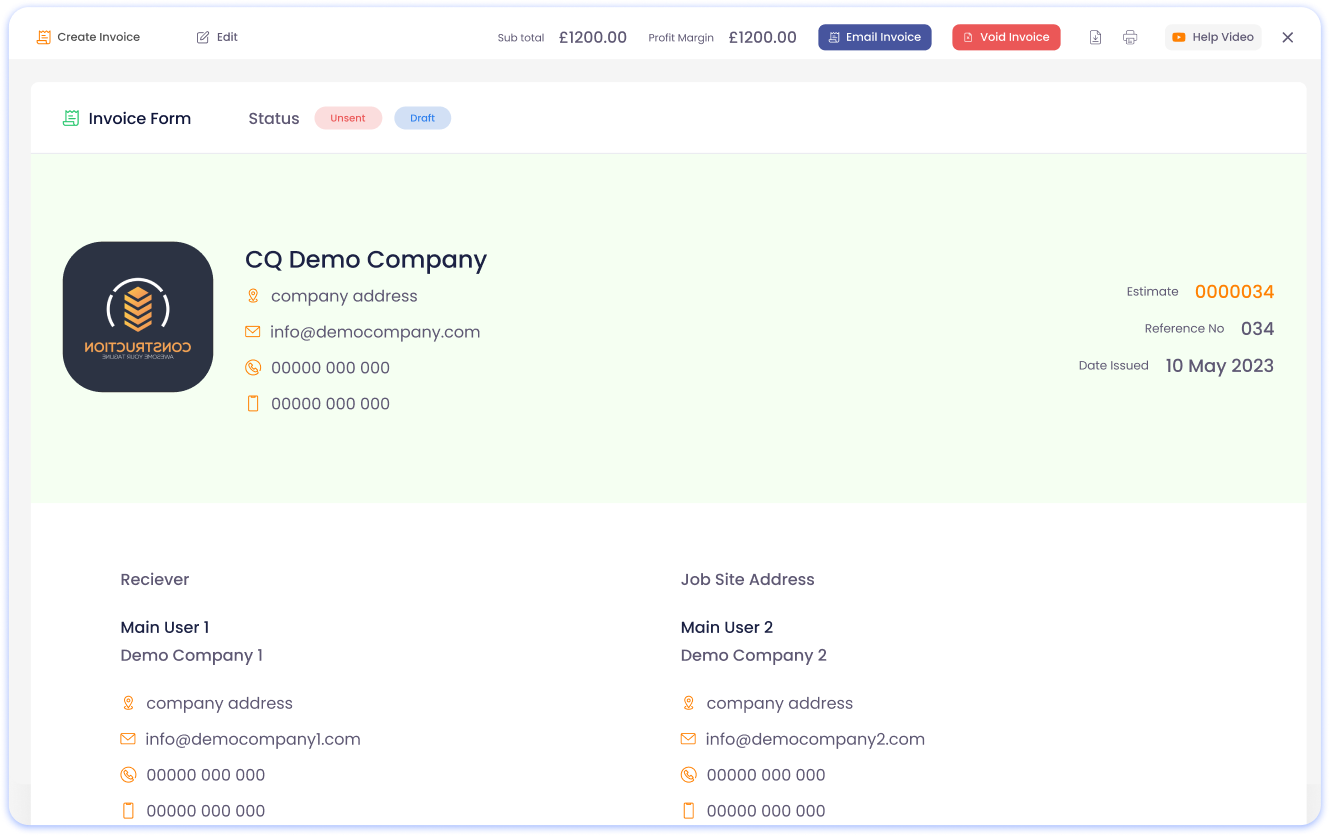
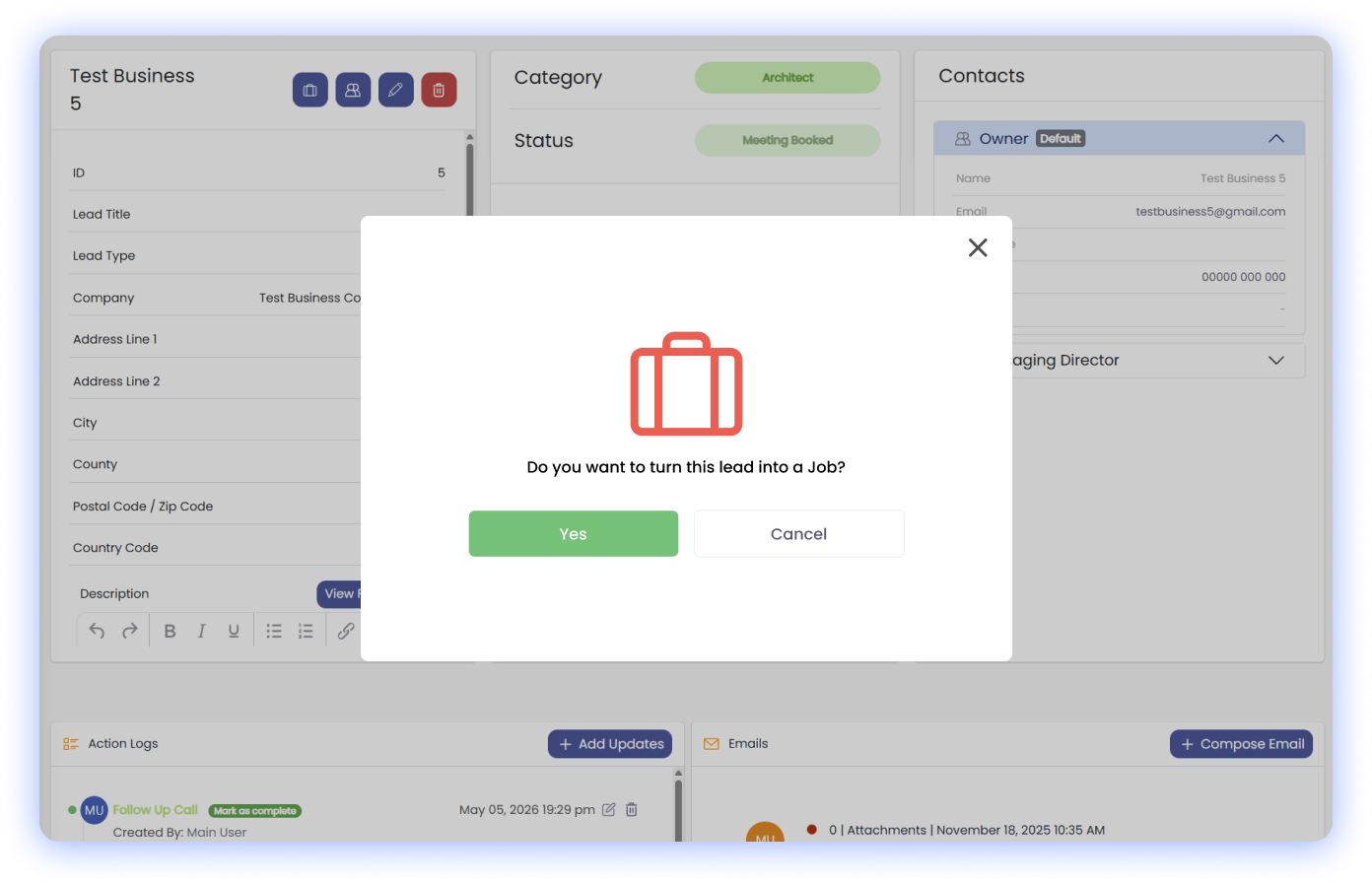
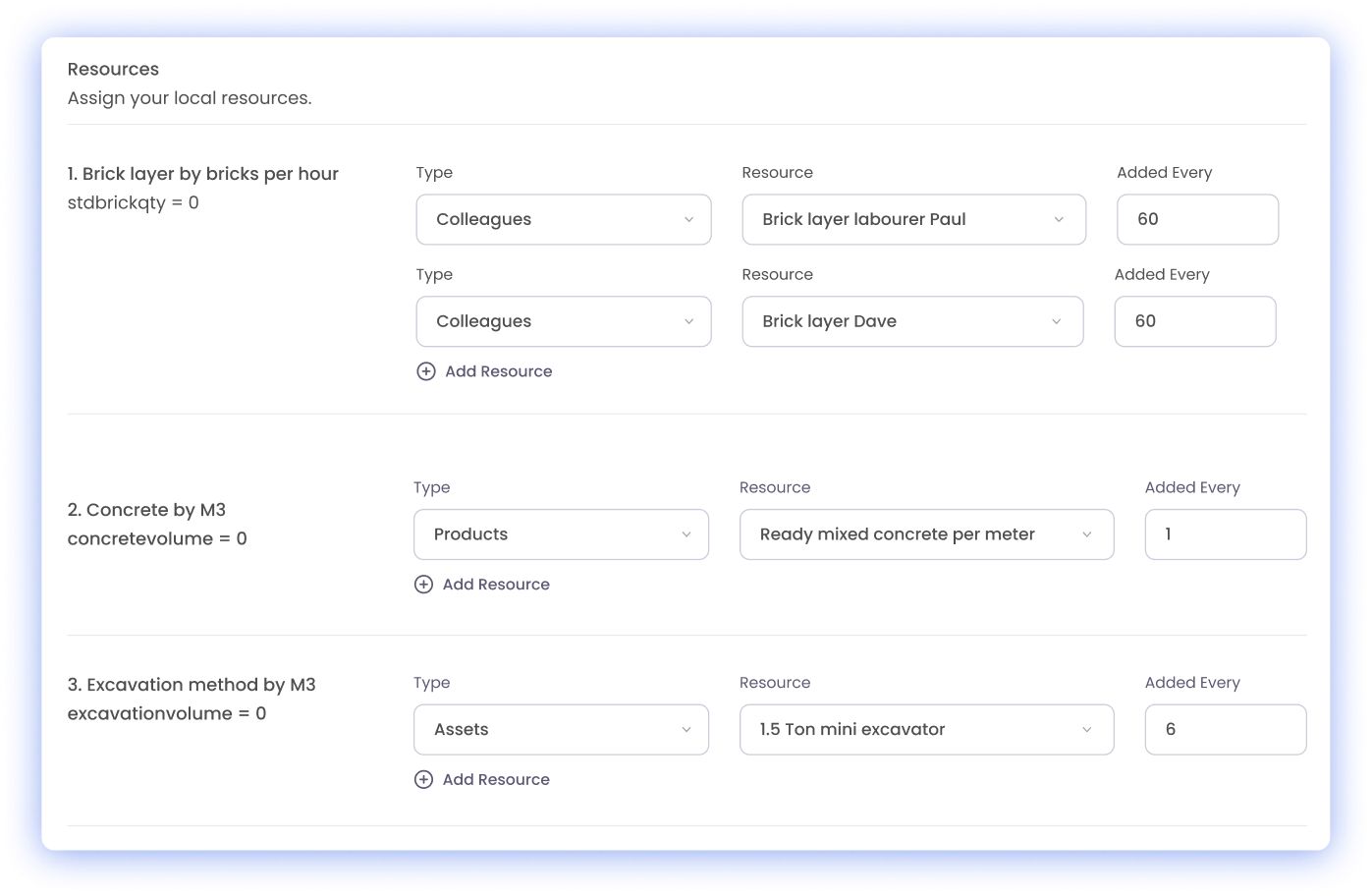
CQ was built specifically for landscapers making this transition. It replaces generic templates with a flexible system that allows for custom line items—such as specific stone types, machinery hire, and plant species—and integrates real-time price updates from your suppliers. Instead of manually adjusting quotes, CQ allows you to build a comprehensive Bill of Materials (BOM) and convert your estimate directly into a job with one click. This integrated approach provides the precision needed to quote confidently and ensure every landscape project is profitable.
When your landscaping estimates consistently fall short, it’s usually a sign that your business has outgrown generic tools. This issue often sits alongside inaccurate job profitability tracking, rigid software that can't adapt to your unique needs, or the broader challenge of why admin keeps increasing as the business grows.
You can explore how other growing landscaping businesses have moved beyond guesstimating to build truly profitable projects, or review the full library of operational hurdles that typically emerge during this stage of growth. To see how a bespoke estimation system can transform your quoting process, you can explore the CQ software built for landscapers or view a custom demo.
Generic tools don't account for the unique variables in landscaping, such as specific plant species, diverse material types, varying labour rates for different tasks, or the impact of site conditions, leading to inaccurate quotes.
Contextual intelligence means the software understands the specific nuances of your industry. For landscapers, this means recognising different plant types, stone varieties, and the associated costs and labour for each.
Bespoke estimation software integrates real-time price updates from suppliers, allowing you to quickly adjust material costs in your quotes without manual re-entry, ensuring your margins are protected.
Yes. Integrated systems like CQ allow you to convert an approved estimate directly into a job with a single click, automatically populating all job details, materials, and labour requirements.
There is a specific type of frustration that sets in when you realise your office team is spending hours every week acting as a human bridge between your operations and your accounts. You might have a solid team in the field and a professional accounting tool like Xero, but if the two don't talk to each other, you are paying a "Double Entry Tax." Every time an admin staff member has to manually re-type a quote, a timesheet, or a supplier invoice into Xero, your business is losing time, money, and accuracy.
If you find yourself reconciling bank statements against paper notes or questioning why your Xero dashboard doesn't match the reality of your ongoing jobs, you’ve hit a structural bottleneck. You aren't failing at bookkeeping; you’ve simply outgrown disconnected systems. You need a professional operational hub that handles the "doing" while Xero handles the "accounting"—with both staying perfectly in sync without human intervention.
This friction happens because most project tools treat accounting as an afterthought. When your operational data—like site hours, material costs, and job progress—is trapped in a silo, your financial view is always lagged. You only see the true state of your cash flow weeks after a job is finished, making it impossible to make proactive decisions. This "Financial Blindness" is the hidden cost of using software that doesn't deeply integrate with your accounts.
The core problem is the lack of an "Automated Financial Flow." Without a seamless sync, errors are inevitable. A missed decimal point or a forgotten line item during manual entry can lead to under-invoicing or, worse, a compliance nightmare with HMRC. For UK service businesses, especially those dealing with CIS (Construction Industry Scheme) or complex VAT, this lack of integration isn't just an admin burden; it’s a strategic risk that prevents you from scaling with confidence.
Businesses that successfully remove the admin burden move toward a "Unified Financial Loop"—where the operational system and the accounting software act as one. This isn't about finding a tool with a "CSV export" button; it's about a deep, two-way integration where data flows automatically. It’s a system where a site clock-in becomes a labour cost, and an approved estimate becomes a live invoice in Xero, all without a single keystroke of re-entry.
CQ was built specifically for service businesses that need to close this loop. It replaces the manual "copy-paste" culture with a professional hub that handles the entire lifecycle of a job—from initial enquiry to final payment. Because CQ syncs directly with Xero and Sage, your financial data is always live and accurate. It provides the operational clarity needed to stop losing money on underquoted jobs and ensures that your admin overhead doesn't grow with your revenue.
The true value of a Xero-integrated system is the ability to manage your business by the numbers, not by gut feeling. When your geo-located timesheets and material costs flow directly into your accounts, you gain a level of "Financial Awareness" that manual systems simply can't provide. You can see exactly which jobs are profitable and where your cash is tied up, allowing you to scale calmly.
By moving to an integrated platform like CQ, you can:
•Eliminate Double Entry: Save up to 8 hours of admin a week by removing manual data re-entry.
•Automate Invoicing: Convert approved estimates directly into Xero invoices with one click.
•Ensure UK Compliance: Handle CIS and UK-specific tax settings automatically within your operational flow.
•Gain Live Visibility: See your true project margins and cash flow without waiting for month-end reports.
When your office team spends more time on data entry than on client service, it’s a sign that your business is ready for a more professional foundation. This isn't just about saving time; it's about removing the structural friction that prevents you from reaching your next stage of growth. This transition often coincides with the realisation that spreadsheets have reached their tipping point or that you are paying for too many tools that don't talk to each other.
You can explore how other service businesses have used CQ and Xero to scale calmly, or review the full library of operational hurdles that typically emerge during this stage of growth. Understanding how these issues interconnect is the first step toward building a more resilient, profitable business. To see how a Xero-integrated system can transform your financial clarity, you can explore the CQ software here or view a custom demo.
Most service businesses save between 5 and 8 hours of admin time per week by eliminating manual data re-entry. This allows your office team to focus on higher-value tasks like client service and business development.
Yes. CQ is built with UK-specific requirements in mind, allowing you to manage CIS deductions and UK tax settings within your operational workflow, which then syncs perfectly with Xero or Sage.
The Double Entry Tax is the hidden cost of paying staff to manually re-type data from one system to another. It leads to higher admin overhead, increased risk of errors, and a lack of real-time financial visibility.
Yes. Once an estimate is approved in CQ, you can convert it into a live job and subsequently a Xero invoice with a single click, ensuring that your operational and financial records are always identical.
There is a specific type of frustration that sets in when you’re managing a field-based team and you realise that your payroll is based on guesswork rather than reality. You trust your staff, but the "lag" between the site and the office means you’re constantly chasing paper-based tracking, deciphering messy handwriting, or dealing with the natural "rounding up" of hours. Whether it’s an HVAC engineer finishing 15 minutes early or a landscaping crew "clocking in" while still in the van, these small discrepancies add up to a significant financial drain.
If you find yourself spending your Sunday evenings reconciling hours or questioning why a simple job took twice as long as estimated, you aren't alone. Retrospective time recording is a structural bottleneck that creates friction between the office and the field. It’s not just about inaccurate recording; it’s about the lack of a single source of truth that allows you to pay your team accurately and bill your clients fairly.
This operational blindness happens because manual timesheets rely on memory and honesty in an environment that is inherently busy and prone to distraction. When an engineer is moving between three different sites in a day, expecting them to remember the exact minute they arrived and left each one is unrealistic. This leads to "time padding"—the natural tendency to round hours in the employee's favour—which can quietly erode your project margins week after week.
The core problem is that paper or basic digital timesheets lack "location awareness." They don't know if a staff member was actually on-site when they clocked in, or if they were still at the wholesalers. This disconnect forces your office team to cross-reference vehicle trackers or client calls just to verify a single day's work. It’s a high-friction process that prevents you from having a real-time view of your true labour costs and makes it impossible to maintain a fair, transparent system for everyone.
Businesses that successfully move beyond the "timesheet chase" transition to geo-located time tracking—a system that captures the exact longitude and latitude at the moment a staff member clocks in and out. This isn't about surveillance; it's about creating an automated, honest system that provides verifiable proof of presence at the job site, protecting both the business and the employee. The system records the precise location data at the point of clocking, providing an undeniable digital timestamp of their arrival and departure.
CQ was built specifically for field-based teams making this transition. The CQ Field App uses location-based clocking to ensure that every hour logged is an hour worked at the correct site. This visibility feeds directly into accurate job profitability tracking and removes the admin burden that causes office teams to scale unnecessarily. Instead of your office team chasing paper, the system provides a real-time "who is where" view, allowing you to manage by exception rather than by constant verification.
The true power of GPS-enabled (geo-located) timesheets is realised when they are integrated into your wider operational workflow. When a staff member clocks out of a geo-located site, that data is immediately available for job costing, allowing you to see your true labour spend against your estimate in real-time. This automated flow removes the "admin tax" that traditionally plagues the end of the month.
By using an integrated system like CQ, you can:
•Eliminate Inaccurate Recording: Ensure staff are only paid for the time they are actually on-site.
•Automate Payroll: Sync verified hours directly to accounting tools like Xero or Sage.
•Improve Client Trust: Provide clients with accurate, location-verified reports of site attendance.
•Boost Field Accountability: Create a culture of transparency where honest work is automatically recognised.
When manual timesheets start to feel like a full-time job for your office team, it’s a sign that your business has outgrown its current coordination methods. This issue often sits alongside the frustration of paying for 5 different tools that don't talk to each other or the scheduling bottlenecks that occur when you hit your manual capacity.
You can explore how other service businesses have moved beyond paper timesheets to gain real-time labour clarity, or review the full library of operational hurdles that typically emerge during this stage of growth. Recognising how these issues interconnect is the first step toward regaining control. To see how geo-located time tracking can transform your payroll, you can explore the CQ Field App here or view a custom demo.
A geo-located timesheet uses GPS technology to record the exact longitude and latitude at the moment a staff member clocks in or out. This provides verifiable proof of their presence at a specific job site.
No. Modern systems like the CQ Field App are designed to respect privacy. They only capture the user's location at the specific moment they attempt to clock in or out of a job, rather than tracking their every movement.
By requiring staff to be on-site to have their location recorded at clock-in, you eliminate the ability to round up hours or clock in while still travelling. This ensures you only pay for actual site time, protecting your project margins.
Yes. Integrated systems like CQ allow verified timesheet data to flow directly into payroll and accounting tools like Xero, eliminating manual data entry and reducing errors.
There is a specific stage in a service business—usually when you hit between 5 and 20 staff—where growth stops feeling like an achievement and starts feeling like a burden. When you were smaller, you could manage everything through a mix of Trello boards, WhatsApp groups, and a few well-organised spreadsheets. But as the team grows, the "glue" that held those manual systems together starts to fail. You find yourself spending more time on coordination than on the actual work that generates revenue.
If you feel like you’re constantly "re-keying" data between different tools, or if you’re losing sleep over whether a job was actually invoiced, you’ve hit the Scaling Gap. You aren't failing as a leader; you’ve simply outgrown the "free" tools that got you this far. You need a professional system, but you’re stuck between basic apps that are too thin and enterprise ERPs that are too expensive, complex, and rigid for a team of your size.
This friction happens because tools like Excel or Trello are designed for individual tasks, not for end-to-end operational flow. As you scale to 10, 15, or 20 people, the "digital tax" of manual data entry begins to swallow your margins. Every time an office admin has to manually copy a site update into an invoice, or a manager has to chase three different people to find out a job's status, your business is losing money.
The core problem is "Tool Stitching"—the hidden cost of paying for 5 different subscriptions (CRM, Project Management, Billing, Chat, and Timesheets) that don't talk to each other. For a team of 5-20, this fragmentation creates a ceiling on your capacity. You can't take on more work because your admin team is already at breaking point just trying to keep the current plates spinning. You don't need more people; you need a single source of truth that removes the manual friction.
Businesses that successfully bridge the Scaling Gap move toward what we call the "Goldilocks" solution—a platform that provides the power of enterprise-level management but is tailored for the agility of a growing team. This isn't about finding a more complex tool; it's about finding a system that removes the "noise" and allows your team to focus on their actual roles. It’s a system that provides professional structure without the "Enterprise Bloat" that makes larger ERPs so hard to use.
CQ was built specifically for teams of 5-20 making this transition. It replaces the chaos of tool stitching with a unified hub that handles everything from the initial enquiry to the final Xero-synced invoice. Unlike generic platforms, CQ includes "Video training on every screen," ensuring that your team can get up to speed quickly without expensive consultancy fees. It provides the operational clarity needed to scale beyond 50 staff without adding admin headcount later.
The true value of a unified system for a team of 5-20 is the ability to scale calmly. When your enquiries, estimates, jobs, and finances are all in one place, you gain a level of "Capacity Awareness" that manual systems simply can't provide. You can see exactly who is where, which jobs are profitable, and where your bottlenecks are before they become expensive crises.
By moving to an integrated platform like CQ, you can:
•Eliminate Tool Sprawl: Replace 5 disconnected subscriptions with one professional hub.
•Reduce Admin Overhead: Stop manual re-keying and prevent admin headcount growing with revenue.
•Improve Job Profitability: Gain real-time visibility into your true costs and stop losing money on underquoted jobs.
•Onboard Faster: Use built-in video guidance to get new staff productive in days, not weeks.
When your current mix of tools starts to feel like a hurdle, it’s a sign that your business is ready for its next evolution. This isn't just about software; it's about removing the structural friction that prevents you from reaching your full potential. This stage of growth often coincides with scheduling bottlenecks or the realisation that spreadsheets have reached their tipping point.
You can explore how other teams of 5-20 have used CQ to scale calmly, or review the full library of operational hurdles that typically emerge during this stage of growth. Understanding how these issues interconnect is the first step toward building a more resilient, profitable business. To see how a professional management system can transform your team's productivity, you can explore the CQ software here or view a custom demo.
Trello and Excel are great for individual tasks, but they lack "operational flow." As your team grows to 5-20 people, the manual effort required to keep these tools synced creates a "digital tax" that slows down your business and leads to errors.
Tool stitching is the practice of using multiple disconnected apps for different parts of your business (e.g., one for CRM, one for jobs, one for billing). It leads to data silos, manual re-keying, and higher subscription costs.
Traditional enterprise ERPs are often too rigid and expensive for smaller teams. The "Goldilocks" solution, like CQ, provides the same professional power but is designed for the agility and ease of use that a team of 5-20 requires.
With the right system, onboarding should be measured in days, not months. CQ includes "Video training on every screen," allowing your team to learn the system at their own pace while they work, reducing the need for expensive training sessions.
For a growing surveying firm, scheduling is not just about putting appointments in a calendar; it is the central planning layer that dictates efficiency, profitability, and client satisfaction. When a firm relies on manual methods—spreadsheets, shared calendars, or whiteboards—the system works until the point of complexity, where it inevitably breaks down.
This guide is for practice owners and operations managers looking for a practical, non-salesy assessment of how dedicated surveyor scheduling software can move a firm from reactive diary management to proactive capacity orchestration.
In practice, dedicated scheduling software helps surveying firms:
•Coordinate multiple site visits across surveyors
•Reduce wasted travel time
•Prevent rescheduling chaos
•Maintain a clear audit trail
•Protect job profitability as workload grows
The core challenge for surveyors is that scheduling is rarely linear. A single job often involves multiple site visits, travel time, report writing blocks, client follow-ups, and the need to coordinate with other team members or external parties.
Example Scenario: A residential surveying firm running condition surveys and valuations may need to coordinate a site visit by a chartered surveyor, follow-up access due to client delays, and a protected report writing block the next morning. In manual systems, these dependencies are invisible. In scheduling software designed for surveying workflows, they are linked and adjusted automatically.
Manual scheduling methods fail when they cannot handle these real-world complexities:
•Inaccurate Travel Time: Generic calendar tools do not account for real-time traffic or the optimal routing of multiple site visits, leading to wasted time and fuel costs.
•Capacity Blindness: Spreadsheets show who is busy, but not why they are busy, or what capacity they have for a specific type of work (e.g., a Level 3 inspection vs a basic site visit). This leads to over-committing or under-utilizing valuable surveyor time.
•Rescheduling Chaos: When a client reschedules, manual systems require updating multiple documents, notifying several people, and checking for conflicts across the entire team—a process prone to error and administrative burden.
•Lack of Audit Trail: There is no easy way to track why a job was scheduled, who approved the change, or how it impacted the final job profitability.
Dedicated scheduling software for surveyors moves beyond simple diary management by focusing on capacity orchestration. This involves managing the firm's total available time and matching it intelligently to the demand for specific services.
The best solutions provide three core functions:
Systems designed for complex service operations (such as CQ) approach scheduling not as a calendar, but as the coordinating layer that links people, time, and financial outcomes.
The software should match the job requirements (e.g., specific certification, location, duration) with the available surveyor who has the right skills and is closest to the site. This ensures the right person is assigned every time, minimizing travel and maximizing efficiency.
For complex jobs (e.g., phased building surveys, long-running monitoring instructions), the software must link multiple site visits, report writing blocks, and client meetings under a single project umbrella. This ensures that a change to one stage automatically flags dependencies in later stages, preventing operational friction.
The scheduling tool must be seamlessly integrated with the mobile application used by the surveyor on-site. This allows for:
•Instant Updates: Surveyors can update job status, log delays, or complete tasks directly from the field, which immediately frees up capacity or alerts the office manager to potential issues.
•Offline Access: Crucially, the schedule and job details must be accessible even in areas with poor connectivity (basements, rural sites, older buildings).
When evaluating software, focus on features that directly address the unique logistics of a surveying practice:
| Feature | Why It Matters for Surveyors |
| Optimized Route Planning | Reduces non-billable travel time and fuel costs, especially for days with multiple site visits. |
| Skill & Certification Matching | Ensures compliance by only assigning jobs to surveyors with the correct qualifications for the instruction. |
| Dependency Linking | Prevents scheduling errors by automatically flagging conflicts when a prerequisite task (e.g., site access confirmation) is delayed. |
| Capacity Forecasting | Provides a forward-looking view of available time, allowing the firm to confidently quote new work without over-committing. |
| Integrated Report Block | Allows the office to schedule the necessary non-billable time for report writing immediately after the site visit, ensuring timely client delivery. |
| Instruction-to-Report Workflow Linking | Ensures site visits automatically trigger report preparation stages, deadlines, and internal handoffs without manual chasing. |
While scheduling software solves the immediate problem of site visit logistics, the greatest efficiency gains come when scheduling is integrated with the firm's broader operational control systems.
A truly unified system links the schedule directly to:
•Financial Tracking: Time logged against the schedule automatically feeds into job costing and profitability reports.
•Client Communication: Scheduling changes automatically trigger client notifications, reducing administrative burden.
•Report Management: The completion of the site visit on the schedule triggers the next stage in the report generation workflow.
By choosing a system that treats scheduling as the operational backbone rather than just a calendar function, surveying firms can ensure that growth in client demand does not lead to a corresponding growth in administrative chaos.
To understand how different software philosophies approach this problem, read our direct comparison: CQ vs Survey Booker CRM.
For a deeper dive into how to evaluate service and project management software, consult our comprehensive Buyer's Guide: How to Compare Project Field Management Software.
To see how scheduling, site visits, and report workflows are coordinated in a live surveying environment, you can See CQ in Action.
Q: Is a simple calendar app enough for surveyor scheduling?
A: Simple calendar apps are sufficient for solo surveyors or those with highly predictable, single-stage jobs. However, they lack the critical features needed for growing firms, such as optimized route planning, capacity forecasting, and linking schedules to job profitability. They manage time, but they do not manage the complex logistics of a surveying practice.
Q: What is "capacity orchestration" in surveying?
A: Capacity orchestration is the strategic management of a firm's total available time and resources. It goes beyond simple scheduling by ensuring that the right surveyor (with the right skills and certifications) is assigned to the right job, minimizing travel time, and proactively blocking out time for non-billable work like report writing.
Q: How does scheduling software help with job profitability?
A: Scheduling software helps profitability in two ways: first, by reducing non-billable time through optimized routing and efficient assignment; and second, by providing an accurate audit trail of time spent on-site and in transit, which feeds directly into job costing reports to ensure accurate invoicing and fee tracking.
Q: Should I choose a general field service scheduling tool or a surveyor-specific one?
A: The choice depends on your complexity. General tools are often robust but may lack specific terminology or workflow steps unique to surveying (e.g., specific report types). Systems designed for complex service management (like CQ) offer the flexibility to configure workflows for multi-stage surveying projects, providing the best of both worlds: robust coordination with industry-specific adaptability.
The decision between CQ Business Management Software and Survey Booker CRM is a strategic one for growing surveying firms. Both are legitimate, high-quality tools, but they are designed for fundamentally different stages of operational maturity and complexity.
Survey Booker CRM is optimized for speed and simplicity, making the core survey workflow (booking → survey → report → invoice) as low-friction as possible. CQ, on the other hand, is designed to coordinate complex, multi-stage work across people, schedules, documents, and finances—even when survey work expands beyond a single service line.
The choice is not about which system is "better," but which system's design intent aligns with your firm's future complexity threshold.
The fastest way to choose your next system is to stop comparing feature checklists and start comparing design intent. Every system is designed to solve one core problem, and that focus creates trade-offs.
| Survey Booker CRM | CQ Business Management Software |
| Survey-Led CRM Simplicity | Operational Coordination Across Complex Surveying Work |
| Optimized for speed, simplicity, and low friction in the core survey workflow. | Built for coordinating multiple survey types, concurrent jobs, teams, schedules, and financials. |
| Optimized for booking → survey → report → invoice. This model works extremely well until survey work becomes multi-stage, involves repeat site visits, or requires coordination across multiple surveyors or service lines. | Designed to scale without losing visibility or control as complexity increases. |
Survey Booker CRM excels at managing single-stage survey jobs, where the workflow is linear and predictable. It provides a streamlined path from lead to completion.
CQ is built for multi-stage survey projects. It provides project and task orchestration necessary for work that involves multiple site visits, client-side dependencies, follow-ups, re-visits, or concurrent jobs that require deep coordination across different teams or service lines. Its structure is designed to handle the complexity that arises when a simple survey job evolves into a phased engagement, or into a mixed-discipline instruction involving inspections, follow-ups, or client-side dependencies.
For surveyors who spend most of their day off-site, mobile access is critical. Survey Booker CRM is designed to facilitate the on-site workflow with speed and ease, focusing on quick access to job details and data capture.
CQ is also built for field teams and designed to support mobile coordination, particularly for surveyors working between properties or in areas with low connectivity. It ensures that the coordination engine—the schedule, the documents, and the notes—is accessible and synchronized, supporting the complex flow of information required for multi-stage projects. This is particularly important for surveyors working in rural areas, basements, plant rooms, or older properties where connectivity is unreliable.
This is where the philosophical difference becomes most apparent. Survey Booker CRM is excellent for managing the diaries of individual surveyors and ensuring job assignment is fast and simple.
CQ's scheduling engine is built for multi-surveyor scheduling and capacity visibility across an entire firm. It is designed to prevent conflict and optimize resource allocation for complex, interdependent work, ensuring that the operational backbone remains coherent as the team grows and the work becomes more varied.
Both systems handle essential document management, such as storing survey reports and client records. Survey Booker CRM provides a clean, simple repository for job-specific documentation.
CQ is positioned as a central document backbone, particularly suited to firms with multi-property contracts, repeat clients, and complex structured audit trails. Its structure is designed to manage the full lifecycle of documentation required for long-running engagements and compliance-heavy inspections.
Operational financial awareness is key to growth. Survey Booker CRM provides clear job costing and invoicing based on the completed survey.
CQ provides a deeper level of operational financial awareness. It tracks predicted vs. actual profitability in real-time, allowing for detailed job costing and time tracking across multiple concurrent jobs. This provides the financial awareness needed to make strategic decisions about service lines and resource allocation.
Choosing between the two platforms is a decision about your firm's operational future. It is important to note that many successful surveying firms operate effectively on Survey Booker CRM indefinitely.
Survey Booker CRM is best for:
•Survey-focused firms prioritizing speed, simplicity, and low friction above all else.
•Firms with single-discipline workflows and a predictable, linear process from booking to invoicing.
CQ Business Management Software is better suited for:
•Surveying firms with mixed service lines, multi-stage work, or long-running engagements.
•Firms facing team coordination challenges and requiring a system that scales with growing operational complexity.
This section builds trust by helping you self-identify your complexity threshold.
Q: Is CQ designed specifically for surveyors?
A: CQ is a business management platform designed for any service or project-led business that manages complex, multi-stage work. While it is not a surveyor-specific CRM like Survey Booker, its core strength lies in coordinating the complex scheduling, financial visibility, and resource management required by growing surveying firms that have moved beyond simple, single-stage jobs.
Q: Can Survey Booker CRM scale with larger surveying teams?
A: Survey Booker CRM is highly effective for managing the core survey workflow and is used by many growing firms. However, as teams expand and work becomes more complex (e.g., multi-property contracts, mixed service lines, deep financial reporting), its simplicity-first design may reach a ceiling where a system built for coordination, like CQ, becomes necessary to maintain operational control.
Q: Do surveyors need project management software?
A: Surveyors who handle only simple, single-stage jobs may not require dedicated project management. However, firms expanding into complex engagements—such as multi-property contracts, phased compliance work, or long-running client frameworks—will benefit significantly from a system that provides project and task orchestration to manage dependencies and maintain financial visibility across the full lifecycle of the work.
Q: What is the main trade-off when moving away from Survey Booker?
A: The main trade-off is between speed and coordination depth. Survey Booker prioritizes speed and low friction for the core survey workflow. Moving to a system like CQ means trading some of that initial simplicity for the coordination depth and operational structure required to manage growing complexity, multi-stage work, and deep financial visibility.
Q: Is CQ too complex for small surveying practices?
A: CQ is designed to solve the problems of complexity, not simplicity. For very small practices with simple, single-stage workflows, Survey Booker CRM is likely the more appropriate tool due to its focus on speed and low friction. CQ is best suited for firms that are already experiencing friction due to growing team size, service line variety, or the complexity of their engagements.
Q: How important is mobile access for survey management software?
A: Mobile access is essential for any surveyor who spends time on-site. The key difference is in the purpose of the mobile access. Simplicity-first tools focus on quick data capture and job details. Coordination-led systems, like CQ, focus on ensuring the mobile team is fully integrated into the firm's complex scheduling and document management backbone.
For a deeper dive into how to evaluate service and project management software, consult our comprehensive Buyer's Guide: How to Compare Project Field Management Software or you can see our surveyors business management software.
To see the operational control and coordination features of CQ in action, you can See CQ in Action.
For a direct comparison of philosophies, read our CQ vs Jobber Comparison.
See CQ in Action
If you’re comparing platforms and want to understand how CQ handles real operational complexity, you can explore a live walkthrough here.
Choosing between CQ vs Housecall Pro is a decision about where you want your software to focus its energy: on the customer-facing experience or on the internal operational engine. Both platforms are modern, mobile-friendly, and designed for service businesses, but their core philosophical differences create distinct operational realities.
Housecall Pro is optimized for Customer Experience Automation. Its design intent is to make the customer journey—from booking to payment—as seamless and automated as possible. This is a powerful model for businesses prioritizing rapid growth through marketing and customer retention.
CQ Business Management Software is optimized for Operational Control & Coordination. Its design intent is to provide the structure and deep visibility required to manage complex, multi-stage workflows and ensure profitability during execution. This is the model for businesses prioritizing sustainable, profitable scaling as operational complexity increases.
This comparison breaks down the eight key areas where these two design intents create the most significant trade-offs.
| Housecall Pro (Customer Experience Automation) | CQ (Operational Control & Coordination) |
| Focus: Maximizing customer satisfaction and marketing-led growth through automation. | Focus: Maximizing operational efficiency and profitability through deep workflow coordination. |
| Trade-Off: Simplicity in the back-office is prioritized over the depth needed for complex, multi-stage job management. | Trade-Off: Requires a greater initial investment in setup to formalize complex workflows, which pays off in long-term control. |
Housecall Pro excels at simple, one-off job scheduling and automated customer notifications. Its scheduling is designed for speed and ease of use, ensuring technicians are dispatched quickly and customers are kept informed. This approach works extremely well for businesses whose work is predominantly one-off, reactive, and technician-led.
CQ's scheduling is designed as the operational backbone for complex work. It handles multi-day, multi-crew, and multi-stage jobs with intricate dependencies. The system prioritizes resource allocation and flow control, ensuring that every step of a complex project is coordinated and profitable.
Housecall Pro's job management is streamlined, focusing on the essential steps from quote to invoice. It is ideal for businesses with straightforward, repeatable service models.
CQ is built to manage complexity before it becomes chaos. It allows for highly configurable workflows, asset management, and detailed task dependencies. This is crucial for businesses that handle mixed reactive and planned work, or projects that require coordination across multiple teams and phases.
To understand how CQ is designed and the type of operational problems it is built to solve, see our overview of CQ Business Management Software.
Housecall Pro provides solid, high-level financial reporting, primarily focused on revenue and basic job costing. Its strength lies in automating payments and integrating with basic accounting software.
CQ provides clearer visibility into profitability during execution. Its reporting is granular, allowing businesses to track job profitability, crew efficiency, and cost of goods sold (COGS) in detail. This depth is essential for strategic decision-making and optimizing complex operations.
This is Housecall Pro's core strength. It offers robust, automated customer communication features, including online booking, automated follow-ups, and reputation management tools. It is designed to optimize the customer's journey.
CQ offers professional, automated customer communication (notifications, portals, etc.), but it is a feature designed to support the operational flow, not the primary focus. The communication is accurate and timely because the underlying operation is tightly controlled.
Housecall Pro offers a wide range of integrations, particularly with marketing and payment platforms, reinforcing its customer-first approach.
CQ offers deeper, more robust integrations, particularly with advanced ERP, BI, and accounting systems. Its API is designed to support complex, two-way data exchange, necessary for businesses that need their FSM to be a true operational hub.
Housecall Pro's pricing is structured to be accessible and scalable for small to mid-sized businesses, often bundled with its marketing and payment features.
CQ's pricing reflects the depth required to manage complex workflows, financial control, and operational visibility in growing service operations. The investment is typically justified by the increased control and profitability insight it can provide as operational complexity grows.
Moving to Housecall Pro from a simpler system is generally fast and easy, as the philosophical shift is minimal. The challenge comes when a business outgrows its operational ceiling.
Moving to CQ requires a greater initial investment in setup and training to formalize complex workflows. This is not a "like-for-like" switch; CQ introduces structure that replaces the informal processes many Housecall Pro users rely on. However, this investment is what unlocks the next level of profitable scaling.
Choose Housecall Pro if:
•Your primary goal is to maximize customer experience and automate customer-facing tasks (booking, communication, payments).
•Your service model is straightforward, repeatable, and does not involve complex, multi-stage projects or intricate resource dependencies.
•You prioritize rapid adoption and ease-of-use over deep operational control and granular profitability reporting.
Choose CQ if:
•Your primary goal is to gain deep operational control, coordinate complex, multi-stage workflows, and ensure real-time profitability during execution.
•Your business is hitting a ceiling where informal processes and simple scheduling are leading to bottlenecks and lost visibility.
•You are ready to invest in a structurally robust system that can handle the complexity of mixed reactive and planned work for sustainable, profitable scaling.
For a deeper dive into how to evaluate FSM software, consult our comprehensive Buyer's Guide: How to Compare Project Field Management Software.
To see the operational control and coordination features of CQ in action, you can See CQ in Action.
For a comparison with another simplicity-first tool, read our CQ vs Jobber Comparison.
Q: Is Housecall Pro better for small businesses than CQ?
A: Housecall Pro is designed for maximum ease-of-use and is an excellent fit for small businesses with straightforward service models who prioritize customer-facing automation. CQ is designed for operational control and is a better fit for businesses whose complexity (multi-stage jobs, detailed reporting needs) is already creating friction, regardless of their current size. The decision should be based on operational complexity, not team size.
Q: Does Housecall Pro offer the same level of reporting as CQ?
A: Housecall Pro and CQ offer different levels of reporting designed for different operational needs. Housecall Pro provides solid, high-level reporting focused on revenue and basic job costing, which is sufficient for simple operations. CQ provides a deeper, more granular level of reporting, focusing on real-time job profitability, crew efficiency, and detailed cost of goods sold (COGS) tracking, which is necessary for strategic decision-making in complex operations.
Q: Who should NOT use CQ?
A: You should not choose CQ if your primary goal is to maintain the simplest possible software experience and your business has no complex scheduling, multi-stage jobs, or detailed financial reporting requirements. CQ is an investment in structure and control; if your operations are entirely straightforward, a simpler, customer-automation-focused tool like Housecall Pro may be a better fit.
Q: What is the main trade-off when moving from Housecall Pro to CQ?
A: Housecall Pro is designed for fast onboarding and customer-facing automation. CQ requires a greater initial investment in setup to align scheduling, workflows, and financial visibility, but in return, it provides the structure and real-time profitability insights often required once informal processes begin to limit visibility and control.
See CQ in Action
If you’re comparing platforms and want to understand how CQ handles real operational complexity, you can explore a live walkthrough here.
Jobber is one of the most popular field service management (FSM) platforms, particularly for small to mid-sized service businesses. Its core strength lies in its exceptional user experience (UX), making it easy for new FSM users to adopt and manage basic operations like scheduling, invoicing, and customer communication.
However, as a service business scales, its operational complexity often outgrows the simplicity that made Jobber so appealing. The need for advanced reporting, complex multi-stage workflows, and deep financial integration often hits a ceiling in systems designed primarily for ease-of-use.
This guide is for the business owner who loves Jobber's simplicity but is starting to feel the friction of its limitations as they scale. We will compare Jobber and CQ Business Management Software, not on a feature checklist, but on their core design intent and the operational consequences of choosing one over the other for your next stage of growth.
Jobber is designed for ease-of-use and rapid adoption for small to mid-sized service teams. Its core strength is its intuitive interface, which simplifies the transition from paper-based or spreadsheet-based systems to digital FSM.
This approach is highly effective for businesses where:
•Simplicity is the highest priority: The team needs a system that is easy to learn and use with minimal training.
•Operations are straightforward: The business primarily handles single-stage jobs like cleaning, lawn care, or simple repairs.
•Customer-facing workflows are key: The focus is on quick estimates, professional invoicing, and streamlined client communication.
Jobber's design intent, which prioritizes simplicity, becomes a limitation when a business's operational needs become more complex. The system's "ceiling" is typically hit when:
•Workflows become multi-stage or complex: Jobber struggles to manage intricate projects that require task dependencies, multi-day scheduling, or complex resource allocation.
•Advanced reporting is required: The system's reporting capabilities are often too basic to provide the deep, actionable insights needed for strategic decision-making in a scaling business (e.g., real-time job profitability, crew efficiency across different job types).
•Financial integration needs depth: Businesses requiring deep, two-way integration with accounting software for complex cost tracking and financial reporting often find Jobber's capabilities insufficient.
•User limits are reached: The cost structure and user limits of Jobber's higher tiers can become prohibitive for rapidly growing teams.
CQ is designed for scalability and operational control in businesses with complex, multi-stage workflows. It is built on the philosophy that a system should adapt to the business's complexity, not the other way around.
CQ’s approach is to:
•Master complex workflows: The system is engineered to handle intricate, multi-stage projects with dependencies, long-term scheduling, and detailed resource management.
•Provide deep, actionable reporting: CQ offers advanced analytics and reporting tools that give business owners real-time visibility into profitability, operational efficiency, and key performance indicators (KPIs).
•Prioritize financial control: The system provides robust financial tools and deeper accounting integration to ensure accurate job costing and margin protection.
•Support large, growing teams: CQ's architecture and pricing are designed to scale efficiently with large numbers of users and high volumes of complex data.
To understand how CQ is designed and the type of operational problems it is built to solve, see our overview of CQ Business Management Software.
This is the conceptual heart of the comparison. Jobber and CQ represent two fundamentally different approaches to FSM.
•Jobber: Control via Simplicity and UX. This is an "outside-in" approach, where the system is kept simple to ensure high adoption and low friction for basic operations. It is excellent for starting out but can become a bottleneck for growth.
•CQ: Control via Structure and Scalability. This is an "inside-out" approach, where the system provides the structure and depth required to manage complexity and ensure profitable scaling. It requires a greater initial investment in setup but offers a higher operational ceiling.
| Feature | Jobber (Simplicity-First Execution) | CQ (Operational Control & Coordination) |
| Core Design Intent | Simplicity, Rapid Adoption, Basic FSM | Complex Workflows, Deep Reporting, Financial Control |
| Ideal Operational Profile | Teams with straightforward, single-stage service workflows | Businesses managing multi-stage, interdependent work with growing operational complexity |
| Workflow Management | Simple, single-stage jobs | Complex, multi-stage projects with dependencies |
| Reporting & Analytics | Basic, focused on high-level metrics | Advanced, real-time job profitability and KPI tracking |
Switching from Jobber to CQ is a sign that your business has successfully outgrown its initial FSM solution. This migration is less about a feature-for-feature swap and more about upgrading your operational infrastructure. This is not a ‘like-for-like’ switch; CQ introduces structure that replaces the informal processes many Jobber users rely on. The primary challenge will be adapting your team to a system that demands more structure in exchange for greater control and insight.
Data migration is typically straightforward for customer and asset data. The most important part of the transition is leveraging CQ's setup to formalize the complex workflows that Jobber could only handle manually.
Jobber's entry-level pricing is highly attractive, but its Total Cost of Ownership (TCO) can climb rapidly as you add users and need to unlock features in higher tiers. For a scaling business, the true cost of Jobber is often the opportunity cost of not having the deep reporting and workflow control needed to optimize margins.
CQ's pricing reflects the depth required to manage complex workflows, financial control, and operational visibility in growing service operations. While the initial investment may be higher, the long-term TCO is often lower due to the system's ability to drive operational efficiency, reduce administrative overhead, and provide the financial insights necessary for profitable growth.
The choice between Jobber and CQ is a choice between simplicity now and scalability later.
•If your operations are straightforward, single-stage jobs and your priority is an easy-to-use system for basic scheduling and invoicing, Jobber is an excellent choice.
•If you are a scaling business with complex, multi-stage projects that require deep financial reporting, advanced workflow control, and real-time profitability insights, CQ is the system designed to support your next phase of growth.
If you’re still comparing options, our guide on how to choose job management software when scaling provides a structured way to evaluate systems objectively. You may also find our comparison of CQ vs ServiceM8 helpful if you are evaluating systems designed for smaller, less complex operations.
If you want to see how CQ approaches operational control in practice, you can explore the system through a no-pressure demo.
Q: When should a business consider switching from Jobber to CQ?
A: A business should consider switching when operational complexity consistently exceeds what Jobber’s single-stage workflows and reporting can support. This typically happens when they need to manage complex, multi-stage projects that Jobber struggles with, or when they require deep, real-time financial reporting and job profitability insights that Jobber's simpler reporting cannot provide.
Q: Who should NOT use CQ?
A: Businesses that primarily handle simple, single-stage jobs (like basic cleaning or lawn care) may find CQ's depth and structure to be more than they need. For these businesses, a system like Jobber, which prioritizes ease-of-use and rapid adoption for basic FSM functions, may be a better initial fit. CQ is designed for the complexity and scale of service operations with multi-stage workflows.
Q: Does CQ offer the same ease-of-use as Jobber?
A: Jobber is specifically designed for maximum ease-of-use and rapid adoption for new FSM users. CQ is designed for maximum operational control and scalability. While CQ is highly intuitive for a complex system, it requires a greater initial investment in setup and training to formalize complex workflows. The trade-off is simplicity for the power to manage complexity and drive profitable growth.
Q: How easy is it to migrate from Jobber to CQ?
A: Migrating from Jobber to CQ is a strategic upgrade. While customer and asset data migration is straightforward, the primary effort is adapting to CQ's structure. CQ is designed to formalize the complex, multi-stage workflows that often had to be managed manually or informally in Jobber. This transition requires a mindset shift from simplicity-first to control-first, but it is necessary to unlock the next level of profitable scaling.
See CQ in Action
If you’re comparing platforms and want to understand how CQ handles real operational complexity, you can explore a live walkthrough here.
ServiceM8 is a well-known name in the field service management space, particularly celebrated for its mobile-first approach and seamless user experience on Apple devices. For many small trade businesses, ServiceM8 is the perfect entry point, offering a clean, intuitive app that makes managing jobs, quoting, and invoicing in the field simple and efficient.
However, as a trade business grows, the operational focus shifts. The initial need for a great mobile app is replaced by a more critical need for financial clarity, advanced reporting, and robust back-office control.
Many businesses reach a point where jobs are still running smoothly on the app, but the office is struggling to answer basic questions like “Which work actually makes us money?” or “Why does cash feel tight despite being busy?”
This is the point where many businesses begin to look for a ServiceM8 alternative, often comparing their current system to platforms like CQ Business Management Software.
The problem isn’t that ServiceM8 is bad — it’s that its mobile-first design philosophy creates a back-office bottleneck once the business reaches a certain size. The system that excels at getting jobs done in the field can struggle to provide the financial and operational insight needed to manage a growing team, complex projects, and multiple profit centers.
This comparison is written for UK trade businesses who have loved the mobile experience of ServiceM8 but are now questioning whether it can support their next stage of growth. We provide an objective, in-depth analysis of CQ vs ServiceM8 to help you understand which platform is the better long-term investment for your business's operational maturity.
TL;DR: ServiceM8 is the best mobile app for small teams focused on simple service work. CQ is the operational system built for scaling businesses that require advanced financial reporting, project management, and a back-office that can handle complexity without compromising field efficiency.
Quick Decision Guide:
If you’re already questioning whether ServiceM8 still fits your business, this comparison is for you.
•Best-in-class mobile UX for simple jobs → ServiceM8
•Need deep financial reporting and project costing → CQ
•Value unlimited users over job volume limits → CQ
•Handle complex, multi-phase project work → CQ
•Need a platform that integrates project and service work → CQ
| Scenario | Best Choice |
| Best for mobile-first field staff | ServiceM8 |
| Best for back-office reporting & financial clarity | CQ |
| Pricing model for high-volume service | CQ (Unlimited Users) |
| Pricing model for low-volume, high-value work | ServiceM8 (Job Volume) |
| Best for project management (multi-phase work) | CQ |
| Scalability beyond simple service workflows | CQ |
| Handling complex contracts and variations | CQ |
ServiceM8 has built its reputation on providing an exceptional mobile experience, primarily for small to medium-sized trade businesses. It is an ideal tool for:
•Mobile-First Trades: Businesses where the primary interaction with the software happens on a phone or tablet (e.g., plumbers, electricians, locksmiths).
•Teams Using Apple Devices: ServiceM8 is optimized for iOS, providing a fast, fluid experience for users of iPhones and iPads.
•High-Volume, Simple Service Work: Operations that run many short, simple jobs per month, where the focus is on rapid quoting and invoicing in the field.
•Businesses With Low, Predictable Job Volume: The pricing model, which charges based on the number of jobs completed per month, can be cost-effective for businesses with a predictable, lower volume of work.
Most businesses in this category are perfectly served by ServiceM8 — until financial reporting needs, team size, or project complexity increases.
CQ is designed for trade businesses that have outgrown the limitations of mobile-first tools and now require a robust, scalable business management platform. These are businesses that have achieved initial success and are now focused on sustainable, profitable growth through better operational control. CQ is the clear choice for:
•Scaling Businesses (5+ users): Companies where coordination, reporting, and process control are becoming more complex than simple scheduling.
•Mixed-Workflow Operations: Businesses that handle both reactive service and complex, multi-phase projects (e.g., full installations, commercial fit-outs).
•Leaders Demanding Financial Clarity: Owners who need deep, customizable reporting on project profitability, margin analysis, and multi-team performance.
•Businesses Seeking Predictable Costing: Teams that prefer a transparent, all-inclusive, per-user pricing model over a variable, job-volume-based model.
CQ is typically chosen by businesses that have already tried to “make ServiceM8 work” by exporting data to spreadsheets for analysis or using external project management tools — and want one system that finally replaces that patchwork.
To see how CQ can transform your business operations and provide the platform for your next stage of growth, you can request a free demo with one of our business specialists.
To understand how CQ is designed and the type of operational problems it is built to solve, see our overview of CQ Business Management Software.
| Feature | ServiceM8 | CQ | The Verdict |
| Core Focus | Mobile Job Management | Business Management (Projects & Service) | CQ offers a more complete operational system for growth. |
| Pricing Model | Job Volume-Based (Variable) | Per-User (Predictable) | CQ offers better predictability for high-volume or growing teams. |
| Project Management | Basic job tracking — no phase-level costing or staging | Advanced multi-phase project workflows with real-time budget tracking | CQ is essential for businesses taking on complex, high-value work. |
| Back-Office Reporting | Simple reports; often requires data export for deep analysis | Advanced, customizable reporting included | CQ provides the financial visibility needed for strategic growth. |
| Mobile UX | Excellent (iOS Optimized) | Excellent (Full feature parity, offline-first) | ServiceM8 wins on pure mobile aesthetic; CQ wins on mobile functionality and reliability. |
| Scalability | Limited by job volume tiers and back-office depth | High, built to handle multi-team, multi-site operations | CQ is the platform for your next 5-10 years of growth. |
| User Limit | Unlimited Users (but limited by job volume) | Per-User (Unlimited Jobs) | CQ offers true unlimited job capacity. |
| Back-office control & permissions | Limited | Advanced role-based access | CQ enables structured team growth. |
To maintain an objective, buyer-advocate tone, it is important to acknowledge where ServiceM8 genuinely shines. For its target market, ServiceM8 is an excellent choice:
1. Best-in-Class Mobile User Experience: ServiceM8 is renowned for its clean, fast, and intuitive mobile app, particularly on iOS. The mobile UX is arguably the best in the industry for simple, rapid job management. This speed to value is a significant advantage for small teams focused purely on field efficiency.
2. Job Volume Pricing for Small Teams: The pricing model, which charges based on the number of jobs per month , is ideal for small teams with a low, predictable volume of work. It allows for unlimited users, meaning you can have many field staff on the system without the cost increasing, provided the job volume remains low.
3. Seamless Field Workflow: ServiceM8 excels at the end-to-end field workflow: quoting, scheduling, job completion, and invoicing, all done on-site. This efficiency is why it is so popular with mobile-led trades.
While ServiceM8 is an excellent mobile-first tool, its design philosophy creates significant operational bottlenecks for businesses that are ready to scale and require deeper back-office control. These limitations are often the reason businesses seek out ServiceM8 alternatives like CQ.
ServiceM8’s focus on the field means the back-office reporting is often simple and lacks the depth required for strategic business management.
A common scenario we see is business owners exporting ServiceM8 data to spreadsheets to perform critical analysis on project margins, team profitability, or cost-of-goods-sold. This manual process is time-consuming, prone to error, and prevents real-time decision-making.
In practice, this means: CQ includes advanced, customizable reporting as standard, giving you the real-time financial and operational visibility you need to make strategic decisions. Our platform is designed to handle the complexity of a growing business, ensuring that your software is an asset that enables growth, not a system you constantly have to work around.
The job-volume-based pricing model can quickly become a hidden cost as your business scales. While the Starter plan offers unlimited users for $29/month, it is limited to just 50 jobs per month . As you grow, you are forced into higher-cost tiers ($79 for 150 jobs, $149 for 500 jobs) regardless of how many users you have.
This creates a psychological barrier to growth: every new job, even a small one, costs a "job credit." For high-volume service businesses, this model becomes unpredictable and expensive compared to a fixed per-user model.
In practice, this means: CQ offers a transparent, per-user pricing model with unlimited job capacity. This predictability allows you to scale your job volume without fear of unexpected monthly spikes, giving you the freedom to focus on growing your revenue, not counting your jobs.
ServiceM8 is a job management tool. It handles single, distinct tasks well. However, it lacks the depth required for project management—the kind of multi-day, multi-phase, high-value work that drives significant growth.
Businesses outgrowing ServiceM8 often struggle with:
•Staged Workflows: Inability to manage complex dependencies, variations, and staged payments required for larger installations or fit-outs.
•Budget Tracking: Difficulty tracking real-time budget vs. actuals across a project that spans weeks or months.
In practice, this means: CQ allows you to break down complex work into phases, track costs and profitability at each stage, and manage all related documents and communications in one place. This capability is crucial for businesses looking to move upmarket and secure higher-margin project work.
If your business is still small, your jobs are simple, and your primary need is a fast, clean mobile app for quoting and invoicing, ServiceM8 remains a solid choice.
But if you’re managing 5+ staff, handling multi-day or project-based work, or relying on spreadsheets to fill the gaps in financial reporting, the biggest risk often isn’t switching software — it’s continuing to run a growing business without the financial and operational visibility it now requires.
At that stage, CQ isn’t an upgrade. It’s a structural change.
If you’ve reached the point where ServiceM8 feels limiting rather than enabling, CQ is built specifically for that stage of growth.
You can see how it works in practice with a no-pressure demo. Learn more about our business management software for trade professionals.
See CQ in Action
If you’re comparing platforms and want to understand how CQ handles real operational complexity, you can explore a live walkthrough here.
Lost site notes, inconsistent reports, and hours spent manually typing up findings are common frustrations for surveying firms. A scribbled note on a pad can easily get lost, a crucial photo can be mislabeled, and the time it takes to turn field data into a client-ready, RICS-compliant report eats into profitability. This guide compares the best surveying reporting software to help you streamline your workflow, from initial site notes to final deliverables.
This guide is written for UK surveyors producing Level 2, Level 3, topo, commercial, and boundary reports. It is relevant for:
•Building surveyors
•Land surveyors
•Valuation surveyors
•Commercial surveyors
•Topo teams
•Single operators
•Multi-team firms
Consider this common scenario: a surveyor conducts a Level 3 Building Survey, taking hundreds of photos and pages of handwritten notes. Back in the office, they spend hours deciphering their own handwriting, matching photos to notes, and manually formatting the report in a Word document. The process is slow, prone to errors, and creates a significant bottleneck in the business. Defect coding and consistent condition ratings are almost impossible to manage manually, yet they’re essential for RICS-compliant reporting. This is where dedicated surveying reporting software becomes essential.
While generic tools like Microsoft Word and Excel are familiar, they are not designed for the specific needs of surveyors. They lack:
•Mobile and offline access: You can't easily update a Word doc on site without an internet connection.
•RICS-compliant templates: You have to create and maintain your own templates, which can be time-consuming and inconsistent.
•Photo management: There's no easy way to embed, annotate, and manage hundreds of site photos.
•Automated formatting: You have to manually format every report, which is slow and prone to errors.
| Tool | Best For | RICS Compliant | Photo Management | Pricing |
| CQ | All-in-one practice management | Yes | Excellent | From £50/user/month |
| Skyline | Specialist report writing | Yes | Good | From £99/user/month |
| GoReport | Data collection & analysis | Yes | Good | Custom |
| Scafol | Mobile-first reporting | Yes | Good | From £49/user/month |
| ScribeWare | UK-specific templates | Yes | Good | From £79/user/month |
| Imfuna | Dictation & fast reporting | Yes | Good | From £40/user/month |
| Property Inspect | RICS best-practice benchmarks | Yes | Good | From £35/user/month |
| FieldGenius | In-field calculations | No | Basic | Custom |
1.CQ: Best all-in-one solution for firms wanting to manage their entire business in one place.
2.Skyline: Best specialist report writing tool for firms that only need reporting functionality.
3.GoReport: Best for large firms that need to collect and analyse large amounts of data.
4.Scafol: Best for surveyors who want a mobile-first reporting experience.
5.ScribeWare: Best for firms that need UK-specific templates and RICS compliance.
CQ is a complete business management platform for surveyors, designed to help you run your entire operation in one system. It includes CRM, scheduling, job management, reporting, and invoicing. Full workflow from site notes to final invoice.
•Pros: All-in-one solution, RICS-compliant templates for Level 2 and Level 3 surveys, offline mode, excellent photo management with annotation and video support, integration with other modules.
•Cons: More expensive than some standalone reporting tools.
•Best For: Growing firms that want to streamline their entire workflow, from lead to invoice. For example, a firm that wants to manage a Level 3 survey with 300 photos and a lease plan captured on-site in one system.
Skyline is a specialist report writing tool that is widely used by UK surveyors. It offers a range of RICS-compliant templates and is known for its ease of use. Best for report-only workflows where CRM isn’t needed.
•Pros: #1 survey writing platform in UK, RICS-compliant, easy to use.
•Cons: No CRM or scheduling functionality, photo management is good but not as advanced as CQ.
•Best For: Firms that only need a dedicated report writing tool and are happy to use other systems for CRM and scheduling. For example, a firm that wants to produce a high volume of Level 2 HomeBuyer reports.
GoReport is an all-in-one platform for collecting, managing, and analysing property and asset data. It is designed for large firms that need to manage large amounts of data. Enterprise-level data capture for complex portfolios.
•Pros: Powerful data collection and analysis tools, RICS-compliant, customizable reports.
•Cons: Custom pricing, may be overkill for smaller firms.
•Best For: Large firms with complex data management needs and multiple teams. For example, a firm that needs to manage a portfolio of commercial properties.
Scafol is a mobile-first reporting app that is designed for surveyors who want to create reports on site. It offers a range of RICS-compliant templates and works offline. Mobile-first reporting for surveyors on the go.
•Pros: Mobile-first, offline mode, RICS-compliant, easy to use.
•Cons: Limited CRM and scheduling functionality, photo management is good but not as advanced as CQ.
•Best For: Surveyors who want to create reports on the go and are happy to use other systems for CRM and scheduling. For example, a sole trader who needs to produce a small number of Level 2 HomeBuyer reports each week.
1.On-Site Notes: Photos captured, defects annotated, voice notes recorded (for Level 3).
2.Sync to Office: Offline notes and photos uploaded, photos auto-sorted, defect codes applied.
3.Report Drafting: Template auto-populated, structural sections pre-filled, narrative comments added.
4.QC Review: Peer review, photo check, compliance scan.
5.Final Output: PDF created, client portal updated, recommendations summary generated.
•Level 2 HomeBuyer template
•Level 3 Building Survey template
•Boundary dispute evidence template
•Topographical survey template
•Commercial condition report template
•Level 2 HomeBuyer Reports: A visual inspection of the property to identify any serious problems.
•Level 3 Building Surveys: A more detailed inspection of the property, including advice on repairs and maintenance.
•Lease Plans: A drawing that identifies a leasehold property.
•Boundary Dispute Evidence Packs: A report that provides evidence in a boundary dispute.
•Topographical Reports: A report that shows the features of a piece of land.
•Commercial Schedule of Condition: A report that records the condition of a commercial property at the start of a lease.
•Faster turnaround: More jobs per week
•Better defect coding: Repeat repairs revenue
•Fewer errors: Reduced liability risk
•Cleaner reports: Higher perceived value
For more on improving efficiency across your workflow, see our guide on Surveyor Job Scheduling Software.
•Generic apps like Word/Excel: Too manual and lack surveyor-specific features.
•Template packs with no field data tools: You still have to manually enter all your data.
•Tools with no photo annotation: Essential for highlighting defects and issues.
•Tools without offline mode: Useless for sites with no internet connection.
1.Mobile & Offline Access: Can you work on site without an internet connection?
2.RICS-Compliant Templates: Does the software include pre-built templates for the survey types you offer?
3.Photo Management: Can you easily embed, annotate, and manage hundreds of site photos?
4.Automated Formatting: Does the software automatically format your reports?
5.Integration: Can the software integrate with your other business systems, such as your CRM for surveyors and accounting software?
1.Inconsistent formatting: Using different templates and styles for different reports.
2.Poor photo management: Not embedding and annotating photos correctly, or not renaming image files.
3.Manual data entry: Wasting time re-typing notes from the field.
4.Slow turnaround times: Taking too long to produce final reports.
5.Lack of RICS compliance: Not following RICS best-practice benchmarks.
6.Not using defect coding: Making it difficult to track and analyse common defects.
7.Inconsistent condition ratings: Using different rating systems for different reports.
8.Not maintaining a report library: Making it difficult to find and reuse previous reports.
9.Not syncing field notes correctly: Losing valuable data between the field and the office.
For firms that want a complete, all-in-one solution, CQ is the clear winner. It combines powerful reporting tools with CRM, scheduling, job management, and invoicing, all in one place. This eliminates the need for multiple, disconnected systems and streamlines your entire workflow. For more information on how to choose the right software, see our guide on How to Choose Business Management Software for Surveying Companies or you can see here more on our specific surveyors business management software.
Ready to streamline your reporting and run a more profitable practice? Book a demo of CQ today and see how UK surveyors reduce reporting time by 50–70% using a unified workflow.
The best software for surveyors depends on your specific needs. For an all-in-one solution, CQ is a great choice. For a dedicated reporting tool, Skyline is a popular option.
Many surveyors use a combination of specialist reporting tools like Skyline and generic office software like Microsoft Word and Excel. However, there is a growing trend towards all-in-one platforms like CQ.
To improve your surveying reports, use a dedicated reporting tool with RICS-compliant templates, embed and annotate photos correctly, and automate your formatting. Using standardised land surveyor report templates inside your software is a great first step.
The benefits of using surveying reporting software include faster turnaround times, more consistent reports, improved RICS compliance, and better photo management.
Surveying reporting software typically costs between £35 and £99 per user per month.
Yes, most surveying reporting software is available as a mobile app that you can use on your smartphone or tablet.
Yes, most surveying reporting software has an offline mode that allows you to work on site without an internet connection.
Surveying reporting software helps with RICS compliance by providing pre-built templates that meet RICS standards and by ensuring that your reports are consistent and professional.
For many surveying firms, job scheduling is a constant source of frustration. Double-booked site visits, travel chaos, and last-minute changes can quickly derail your day and eat into your profits. We cover these issues in more detail in our guide to How to Choose Business Management Software for Surveying Companies. A dedicated surveyor scheduling software is the solution, but choosing the right one is critical.
Consider a common scenario: a surveyor is scheduled for a 9:00 Level 3 Survey in Windsor and a 12:00 valuation in Reading — but nobody accounted for traffic, parking, or travel time. The second appointment runs late, the client is annoyed, and the whole day slips. This is a real-world example of how a lack of a proper scheduling system can directly impact your bottom line.
This guide compares the best surveyor job scheduling software in 2026, from all-in-one practice management platforms like CQ to dedicated field service tools like Jobber and BigChange. We’ll cover pricing, features, and the key differences to help you make an informed decision.
Unlike many other professions, surveyors spend a significant amount of their time on the road, traveling between sites. This makes efficient scheduling absolutely critical. A poorly planned schedule can lead to wasted time, increased fuel costs, and unhappy clients. The right scheduling software can help you optimize your routes, minimize travel time, and fit more jobs into your day.
| Tool | Best For | Pricing From | Travel Time & Route Optimisation |
| CQ | All-in-one practice management | Custom | Yes |
| Jobber | General field service | $39/month | Yes |
| BigChange | Enterprise field teams | Custom | Yes |
| Survey Booker | UK-specific CRM & booking | £95/month | No |
| JobBook | Simple crew scheduling | Custom | No |
| Kompass BMS | Land surveyor workflow | Custom | No |
| FieldTech | Construction job scheduling | Custom | Yes |
| Any.do | General project management | $5.99/month | No |
| Re-flow | Civil engineering & construction | Custom | Yes |
•CQ: Best all-in-one for growing firms
•Jobber: Best for general field service
•BigChange: Best for large, multi-team firms
•Survey Booker: Best for automated client booking
•JobBook: Best for simple crew scheduling
•Re-flow: Best for civil engineering & construction
Positioning: CQ is a purpose-built business management software for service businesses with field teams. It’s the ideal choice for surveyors who need a single system to manage everything from leads and quotes to scheduling, site visits, reporting, and invoicing.
Pros & Cons:
•Pros: All-in-one system, automated scheduling, job sheets & site reporting, supports RICS-style workflows, financial tracking, multi-team clash detection, travel-time aware scheduling, ability to schedule equipment (drones, moisture meters, etc.), drag-and-drop timeline. CQ also supports RICS-style documentation workflows, ensuring your reports, logs, and audit trails stay compliant throughout the job lifecycle.
•Cons: Not a specialist RICS template engine (currently), requires onboarding.
Best For: Growing surveying companies, land surveyors, building surveyors, and multi-team operators who need a single source of truth for their business.
Positioning: Jobber is a popular field service platform that’s used by a wide range of businesses, including some surveyors. It’s a good choice for quoting and scheduling, but it lacks the surveyor-specific workflows of tools like CQ.
Pros & Cons:
•Pros: Scheduling & dispatch, quotes, invoices, payments, strong mobile app.
•Cons: No RICS report workflows, no building survey templates, not designed for technical surveying jobs.
Best For: New surveyors who want a simple, affordable field service system to get started.
Positioning: BigChange is a powerful, all-in-one field service management platform designed for larger businesses with multiple teams. It combines CRM, scheduling, routing, and vehicle tracking in a single system.
Pros & Cons:
•Pros: Advanced scheduling and routing, vehicle tracking, comprehensive job management.
•Cons: More expensive than other options, can be complex to set up, not surveyor-specific.
Best For: Large surveying firms with multiple field teams that need advanced scheduling, routing, and vehicle tracking capabilities.
Positioning: Re-flow is a field management software for the construction, civil engineering, and highways sectors. It’s a good choice for firms that work on large, complex projects with multiple teams and strict compliance requirements.
Pros & Cons:
•Pros: Strong compliance features, asset management, dynamic risk assessments.
•Cons: Not designed for building surveyors, more focused on large-scale infrastructure projects.
Best For: Surveying firms that specialize in civil engineering, construction, or highways projects.
•No travel time between appointments: Google Calendar doesn’t automatically calculate travel time, making it easy to double-book yourself.
•No equipment allocation: You can’t assign specific equipment to jobs, leading to conflicts and delays.
•No team visibility: It’s difficult to see who’s available and when, making it hard to schedule multi-person jobs.
•No client reminders: You have to manually send reminders to clients, which is time-consuming and error-prone.
•No job sheet or reporting connection: You can’t create job sheets or reports directly from your calendar, leading to more manual work.
When choosing a scheduling software for your surveying firm, look for these key features:
•Drag-and-Drop Calendar: A visual scheduling interface that makes it easy to see who’s available and when.
•Mobile Access: A powerful mobile app that allows your team in the field to access job information, update job statuses, and create reports on the go.
•Equipment Tracking: The ability to assign specialized equipment to specific jobs.
•Travel Time Calculation: A feature that automatically calculates travel time between sites and helps you optimize your routes.
•Client Portal: A portal that allows clients to book and reschedule appointments online.
•RICS Compliance: Your scheduling tool should support RICS-compliant workflows where clear timelines, site logs, and communication records are essential.
1.Not Accounting for Travel Time: Scheduling back-to-back jobs too far apart.
2.No Buffer Time: Not leaving gaps for overruns or delays.
3.Using Manual Spreadsheets: Using Excel instead of dedicated software.
4.No Client Self-Service: Forcing all bookings through phone/email.
5.Equipment Conflicts: Double-booking specialized equipment.
For most growing surveying firms, a unified platform like CQ is the best choice. It gives you a single source of truth for your entire business, from leads and quotes to scheduling, site visits, reporting, and invoicing. This eliminates the need for multiple, disconnected systems and gives you the real-time visibility you need to grow your practice profitably.
If you’re a smaller firm that’s primarily focused on scheduling, a standalone tool like Jobber or JobBook can be a good option. However, as you grow, you’ll likely need to add more systems to manage your projects, finances, and team.
Ready to see how a unified business management platform can transform your surveying practice? Book a demo of CQ today and discover how you can run your entire business in one place or learn more about CQs business management software for architects works.
For a small surveying firm, a tool like Jobber or JobBook can be a good starting point. However, a unified platform like CQ will provide more value in the long run by eliminating the need for multiple systems.
You can, but you’ll miss out on the surveyor-specific features of a dedicated tool, such as equipment tracking and travel time calculation.
Scheduling software is focused on managing your team’s time and appointments. Practice management software, like CQ, is an all-in-one system that also includes CRM, project management, financial tracking, and more.
Prices vary widely, from free tools like Google Calendar to enterprise systems that cost thousands of pounds per month. A good, all-in-one system for a small to medium-sized firm will typically cost a few hundred pounds per month.
Yes, a mobile app is essential for a surveying firm. It allows your team in the field to access job information, update job statuses, and create reports on the go.
The main benefit is having a single source of truth for your entire business. This eliminates data silos, improves efficiency, and gives you the real-time visibility you need to make informed decisions.
Implementation times vary depending on the complexity of the system and the size of your firm. A simple scheduling tool can be set up in a few days, while a more comprehensive system can take several weeks.
The most important features are a drag-and-drop calendar, mobile access, equipment tracking, travel time calculation, and a client portal.
For many surveying firms, managing leads and client relationships feels like a constant battle. Inquiries get lost in inboxes, follow-ups are forgotten, and there’s zero visibility into your future project pipeline. This isn’t just frustrating; it’s costing you business. A dedicated CRM for surveyors is the solution, but choosing the right one is critical.
Consider a common scenario: a homeowner submits an inquiry about a Level 2 Survey. It sits in the inbox for 48 hours. By the time the firm responds, the homeowner has already booked with another surveyor offering instant online scheduling. This is a real-world example of how a lack of a proper CRM system can directly impact your bottom line.
This guide compares the best CRM systems for surveyors in 2026, from dedicated UK-specific tools like Survey Booker to all-in-one practice management platforms like CQ. We’ll cover pricing, features, and the key differences to help you make an informed decision. This guide is written primarily for UK-based surveying firms, including building surveyors, land surveyors, and valuation surveyors.
Surveying is a relationship-driven business. You’re not just selling a service; you’re selling trust and expertise. A good CRM helps you manage those relationships at scale, ensuring that no lead falls through the cracks and that every client feels valued. It’s the engine that drives your business development, from initial inquiry to repeat business. For most RICS-regulated firms, record-keeping and communication trails are as important as the survey itself. Your CRM should make that effortless, not harder. The right surveying CRM software should help you manage leads, site visits, reports, and invoicing in one place – without spreadsheets.
| Tool | Best For | Pricing From | Key Feature |
| CQ | All-in-one practice management | Custom | Unified CRM, jobs, scheduling, and reporting |
| Survey Booker | UK-specific CRM & booking | £95/month | Automated booking and lead management |
| Jobber | General field service | $39/month | Strong scheduling and mobile app |
| Tradify | Simple job tracking | £39/month | Basic job dispatch and invoicing |
| BigChange | Enterprise field teams | Custom | Advanced scheduling and routing |
| Pipedrive | Simple lead management | £14/month | Visual sales pipeline |
| HubSpot | Free CRM for startups | Free | Strong marketing automation |
| Monday.com | Internal workflow management | £22/month | Customizable dashboards and automations |
| ClickUp | Flexible team collaboration | £7/month | Docs, tasks, and dashboards in one |
| Zoho CRM | Budget all-purpose option | £12/month | Inexpensive and customizable |
| Salesforce | Enterprise CRM | £20/month | Infinitely customizable, but overkill for most |
•CQ: Best all-in-one for growing firms
•Survey Booker: Best for UK-specific CRM & booking
•Jobber: Best for general field service
•Pipedrive: Best for simple lead management
•HubSpot: Best for marketing-led firms
•BigChange: Best for large, multi-team firms
Positioning: CQ is a purpose-built business management software for service businesses with field teams. It’s the ideal choice for surveyors who need a single system to manage everything from leads and quotes to scheduling, site visits, reporting, and invoicing.
Real-World Example: A team could schedule a boundary survey, assign equipment, log findings onsite, upload photos, and issue a report — all without switching systems. This unified approach is where CQ excels.
Pros & Cons:
•Pros: All-in-one system, automated scheduling, job sheets & site reporting, supports RICS-style workflows, financial tracking.
•Cons: Not a specialist RICS template engine (currently), requires onboarding.
Best For: Growing surveying companies, land surveyors, building surveyors, and multi-team operators who need a single source of truth for their business.
Positioning: Survey Booker is a strong, UK-specific CRM that’s focused on automation and booking workflows. It’s a great choice for firms that want to automate their lead management and booking processes, but it’s not an all-in-one system.
Pros & Cons:
•Pros: Automated booking confirmations, website integration, SMS/email reminders, lead capture forms.
•Cons: Not an all-in-one system, limited reporting, no full job sheet system.
Best For: Domestic building surveyors who need a strong CRM with automated booking workflows.
Positioning: Jobber is a popular field service platform that’s used by a wide range of businesses, including some surveyors. It’s a good choice for quoting and scheduling, but it lacks the surveyor-specific workflows of tools like CQ and Survey Booker.
Pros & Cons:
•Pros: Scheduling & dispatch, quotes, invoices, payments, strong mobile app.
•Cons: No RICS report workflows, no building survey templates, not designed for technical surveying jobs.
Best For: New surveyors who want a simple, affordable field service system to get started.
Positioning: BigChange is a powerful, all-in-one field service management platform designed for larger businesses with multiple teams. It combines CRM, scheduling, routing, and vehicle tracking in a single system.
Pros & Cons:
•Pros: Advanced scheduling and routing, vehicle tracking, comprehensive job management.
•Cons: More expensive than other options, can be complex to set up, not surveyor-specific.
Best For: Large surveying firms with multiple field teams that need advanced scheduling, routing, and vehicle tracking capabilities.
Positioning: Pipedrive is a simple, visual CRM that’s focused on lead and deal management. It’s a great choice for firms that want a simple way to track their sales pipeline, but it doesn’t include any job management or scheduling features.
Pros & Cons:
•Pros: Simple and easy to use, visual sales pipeline, good mobile app.
•Cons: No job management or scheduling features, not surveyor-specific.
Best For: Small surveying firms that need a simple, affordable way to track their sales pipeline.
Positioning: HubSpot is a powerful, all-in-one marketing, sales, and service platform. It’s a great choice for firms that want to invest in their marketing and sales efforts, but it’s not a surveyor-specific tool.
Pros & Cons:
•Pros: Free CRM available, strong marketing automation features, good reporting and analytics.
•Cons: Can be expensive, not surveyor-specific, requires significant customization.
Best For: Surveying firms that are focused on marketing and sales and have the resources to customize and integrate a powerful, all-in-one platform.
•Monday.com: Good for internal task tracking, but not a CRM or job management tool.
•ClickUp: A flexible system for internal tasks and documentation, but not a CRM.
•Zoho CRM: A budget-friendly, all-purpose CRM that requires significant customization.
When choosing a CRM for your surveying firm, look for these key features:
•Lead Capture: Can you easily capture leads from your website and other sources? Ideally, new inquiries should auto-create CRM records with property address, service type, and preferred dates. See our guide to Surveying Business Efficiency: Optimising Site Visit Scheduling for more on this.
•Job Scheduling: Can you quickly and easily schedule site visits and manage team availability?
•Site Reporting: Can you create and manage job sheets and site reports on the go?
•RICS Workflows: Does the system support the specific workflows of UK surveying practices? RICS guidance emphasises clarity in reporting, and your CRM should support this.
•Mobile App: Is there a powerful mobile app for your team in the field?
Survey Booker excels at automated lead capture and customer communication. CQ, on the other hand, covers the entire job lifecycle — CRM → scheduling → reporting → invoicing — making it the stronger choice for firms that want one system rather than multiple connected tools.
•If you want an all-in-one system: Choose CQ.
•If you want a UK-specific CRM for booking: Choose Survey Booker.
•If you want a simple field service tool: Choose Jobber.
•If you want a free CRM to start: Choose HubSpot.
For most growing surveying firms, a unified platform like CQ is the best choice. It gives you a single source of truth for your entire business, from leads and quotes to scheduling, site visits, reporting, and invoicing. This eliminates the need for multiple, disconnected systems and gives you the real-time visibility you need to grow your practice profitably. For more on this, see our guide on How to Choose Business Management Software for Surveying Companies.
If you’re a smaller firm that’s primarily focused on automating your lead management and booking processes, a dedicated CRM like Survey Booker is a good option. However, as you grow, you’ll likely need to add more systems to manage your projects, finances, and team.
CQ is a complete business management platform for surveyors, designed to help you run your entire operation in one system. Ready to see how a unified platform can transform your surveying practice, like other UK surveying firms already do? Book a demo of CQ today and see how it can streamline your leads, jobs, reporting, and invoicing.
For a small surveying firm, a tool like Survey Booker or Jobber can be a good starting point. However, a unified platform like CQ will provide more value in the long run by eliminating double entry between your CRM, calendar, spreadsheets, and accounting.
You can, but you’ll need to do a lot of customization and integration to make it work for your surveying practice. A surveyor-specific CRM will save you time and money in the long run.
A CRM is focused on managing your leads and client relationships. Practice management software, like CQ, is an all-in-one system that also includes project management, job scheduling, financial tracking, and more. See our guide on the Best Business Management Software for Surveyors for more.
Prices vary widely, from free CRMs like HubSpot to enterprise systems that cost thousands of pounds per month. A good, all-in-one system for a small to medium-sized firm will typically cost a few hundred pounds per month.
Yes, a mobile app is essential for a surveying firm. It allows your team in the field to access job information, update job statuses, and create reports on the go.
The main benefit is having a single source of truth for your entire business. This eliminates data silos, improves efficiency, and gives you the real-time visibility you need to make informed decisions.
Implementation times vary depending on the complexity of the system and the size of your firm. A simple CRM can be set up in a few days, while a more comprehensive system can take several weeks.
The most important features are lead management, job scheduling, site reporting, RICS workflows, and a mobile app.